# Navigation (where to find what?)
# Entry via "Tell Me" (Alt+Q)
**Directly searchable via Tell Me**:
- **AWF Workflow Templates** (list)
- **AWF Workflow Management** (list)
- **Rule Sets** (DEXPRO Core)
- **Requests to Approve** (standard page; extended by AWF)
**Not directly searchable via Tell Me**, but still reachable:
- **AWF Supported Tables**: open a template (**AWF Workflow Template**) and use the lookup on **"Primary Table ID"**.
- **AWF Workflow Template** (card): open it from the list **AWF Workflow Templates**.
- **Rule Groups / Rules / Rule Conditions**: open these starting from **Rule Sets** via the respective actions (e.g. **"Show Rules"**, **"Show Conditions"**).
- **AWF Workflow Management**
- **AWF Workflow Templates**
In addition, you will typically find the standard area there, **"Pending Approvals"** with the entry point **"Requests to Approve".**.
[ ](https://docs.squeeze.one/uploads/images/gallery/2025-12/image-1766410203485.png)[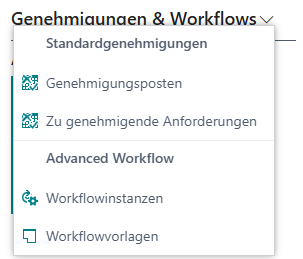](https://docs.squeeze.one/uploads/images/gallery/2025-12/image-1766410694926.png)