What can the app do?
With DEXPRO Advanced Workflow you model approval and decision processes:
- A workflow is started for a specific Business Central record (e.g. a document header).
- The workflow runs in steps/stages (e.g. 1. review, 2. release, final).
- Each step defines an assignee (user, workflow user group, salesperson/purchaser, etc.).
- Rules can decide whether and where the workflow moves next.
Central objects
- Workflow Template ("AWF Workflow Template") – your definition (one-time)
- Workflow Instance ("AWF Workflow Management") – a running/completed execution of the template (per record)
- Step ("AWF Workflow Step") – an approval/decision step within the template
- Workflow Trigger ("Workflow Trigger") – starts an instance when an event occurs
- Rule Engine (DEXPRO Core) – the decision logic:
- Rule Set: framework for tables + rule groups
- Rule Group: collection of rules (e.g. "trigger conditions" or "step selection")
- Rule: a single rule with priority
- Rule Conditions: concrete conditions (field/operator/value)
- Rule Action: defines what happens, when a rule matches (e.g. step transition, override assignee, auto-approve)
- Applies To: determines whether the rule action applies to the header approval, related approvals (lines), or both
Approving in practice
Requests to Approve (for every table)
DEXPRO Advanced Workflow can be used for practically any table because processing the approval does not necessarily have to happen on a specific document/card page.
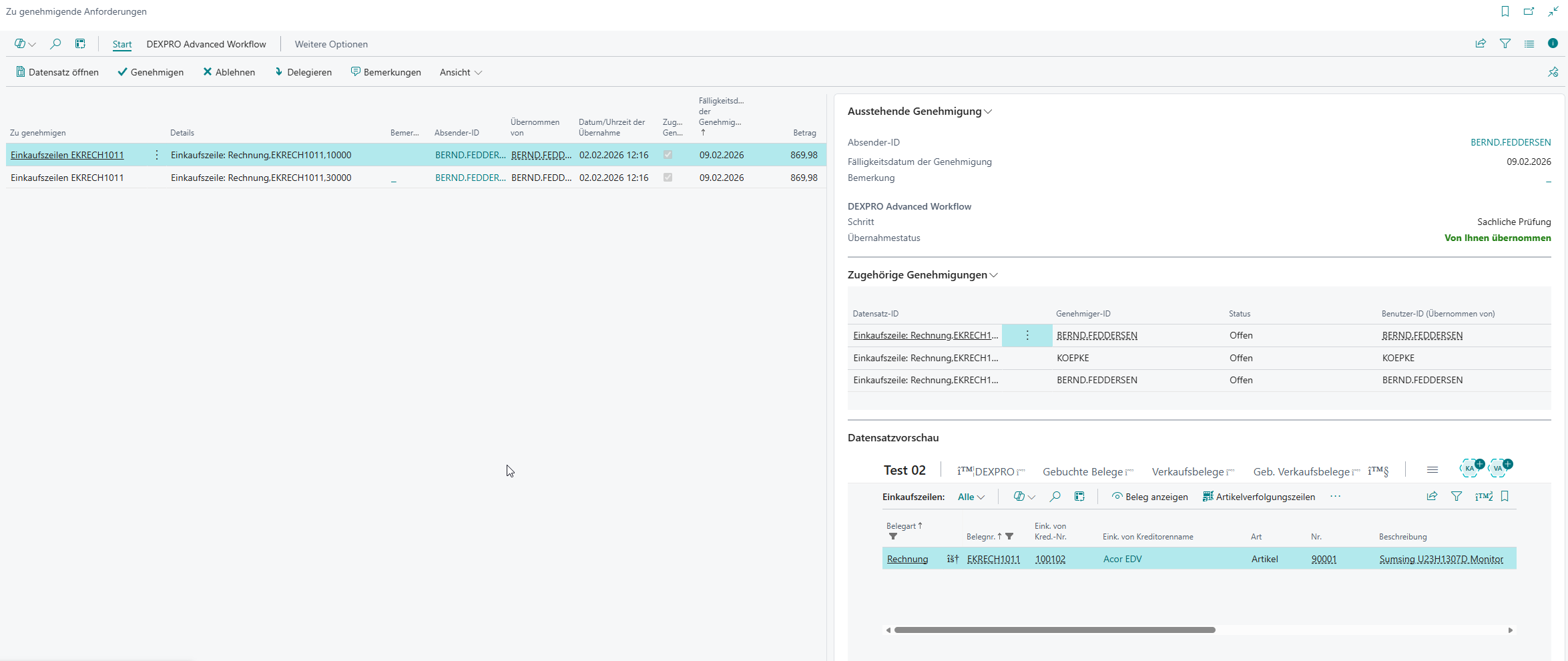
When a workflow creates an approval, approvers can process it via the (standard Business Central) page "Requests to Approve" . This page is extended by AWF:
- Record Preview: In the "Record Preview" FactBox you see the underlying record.
- Take-over information: The fields "Taken Over By" and "Take-Over Date/Time" show who has taken over a group approval.
- Related Approvals: The field "Related Approval" marks line approvals; the "Related Approvals" FactBox shows further related line approvals for the same workflow instance.
- Approval Actions: Actions such as "Approve", "Reject", "Delegate" and and "Cancel Approval Request"..
- Approval take-overs: Actions "Take Over Approval" and and "Release Take-Over"..
- Approval Administrator (if authorized): among others "Reassign Workflow"..
Important: Before approving/rejecting/delegating , first choose "Take Over Approval" "Take Over Approval"so that you can work on the request exclusively.

Using a purchase invoice as an example:
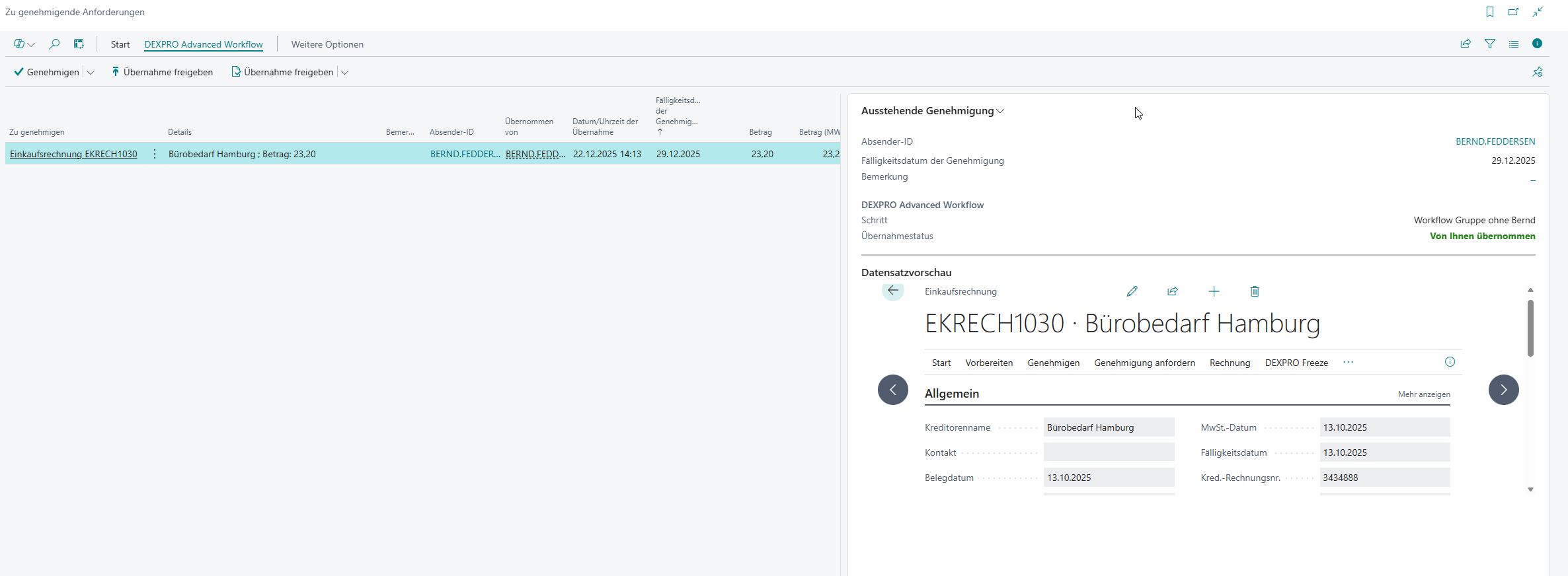
Here you can control the approval process at header and (if enabled) line level.
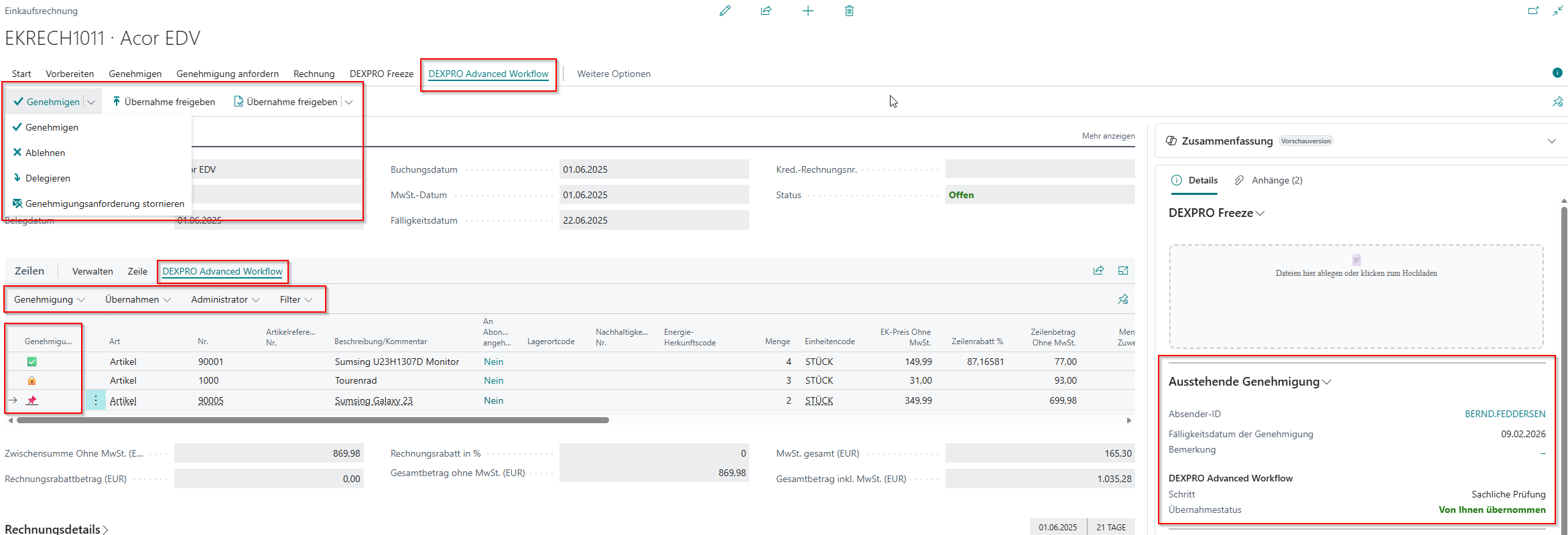
Related approvals
Related approvals are additional approval requests for a running workflow instance – typically for related records (e.g. document lines).
Goal: You can model approvals at line level without all processing having to happen exclusively on the document header.
Prerequisites
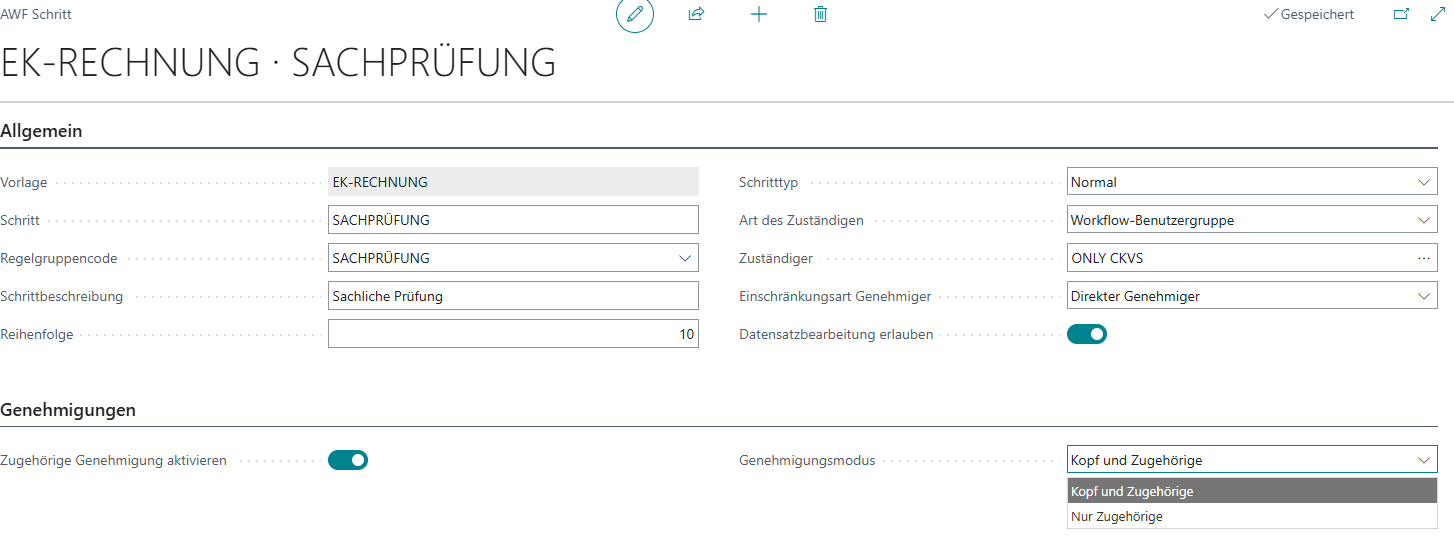
Configuration in the step
- In the workflow template → section Steps → open the desired step.
- In the area Approvals:
- Enable Related Approval = Yes
- Approval Mode choose:
- Header and Related: approval(s) for the header and related approvals (lines)
- Related Only: only related approvals (lines)
Rule effect (rule action) for related approvals
When related approvals are active, rules can additionally control for which approval type the action applies:
Applies To:
- Header: the rule action affects only the header approval.
- Related Only: the rule action affects only related approvals (lines).
- Header and Related: the rule action affects both.

Usage in practice
- In "Requests to Approve" line approvals are marked via Related Approval .
- When you select a line approval, the FactBox "Related Approvals" shows further related approvals for the same workflow instance (incl. status/take-over info).