Field Mapping
Field mapping controls how data from an incoming document is written into Business Central records. DEXPRO Core offers three mapping surfaces, each for a different kind of field, so you can cover standard fields, arbitrary JSON fields, and custom app fields.
Open the mapping lists from Core Setup (Field Mapping action) or by searching for the individual pages.
Standard Field Mapping
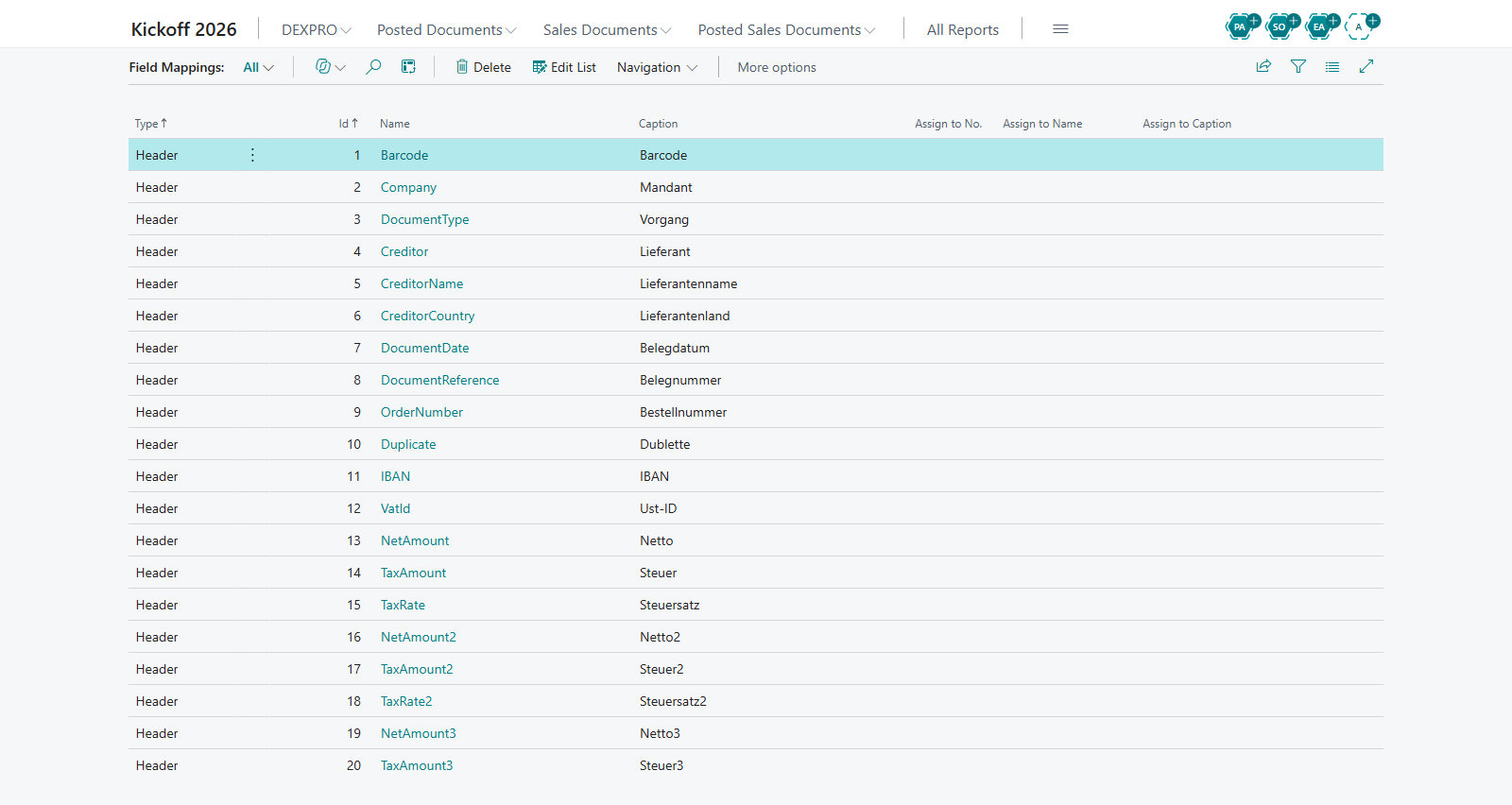
The Field Mappings page maps source document fields to Business Central target tables and fields. Mappings are defined per Document Class and can apply to the document header or the document lines.
- Document Class — the class the mapping applies to.
- Header / Line — whether the field belongs to the document header or to a document line.
- Source field — the field in the source document.
- Target Table / Target Field — the Business Central table and field the value is written to.
Use this when you need to map the well-known fields of a document class to their standard Business Central destinations.
Generic Additional Fields
The Generic Additional Fields page maps arbitrary JSON field names from the source data to a target table and field. This is useful when the source contains extra fields that are not part of the standard mapping.
- JSON field name — the name of the field as it appears in the source JSON.
- Target Table / Target Field — the Business Central destination.
- Validate — an optional flag that runs the field's validation logic (the OnValidate trigger) when the value is written, rather than just setting it.
Use this for ad hoc or additional source fields that you want to route into Business Central without a code change.
{add screenshot of Generic Additional Fields here}
Custom Field Mapping
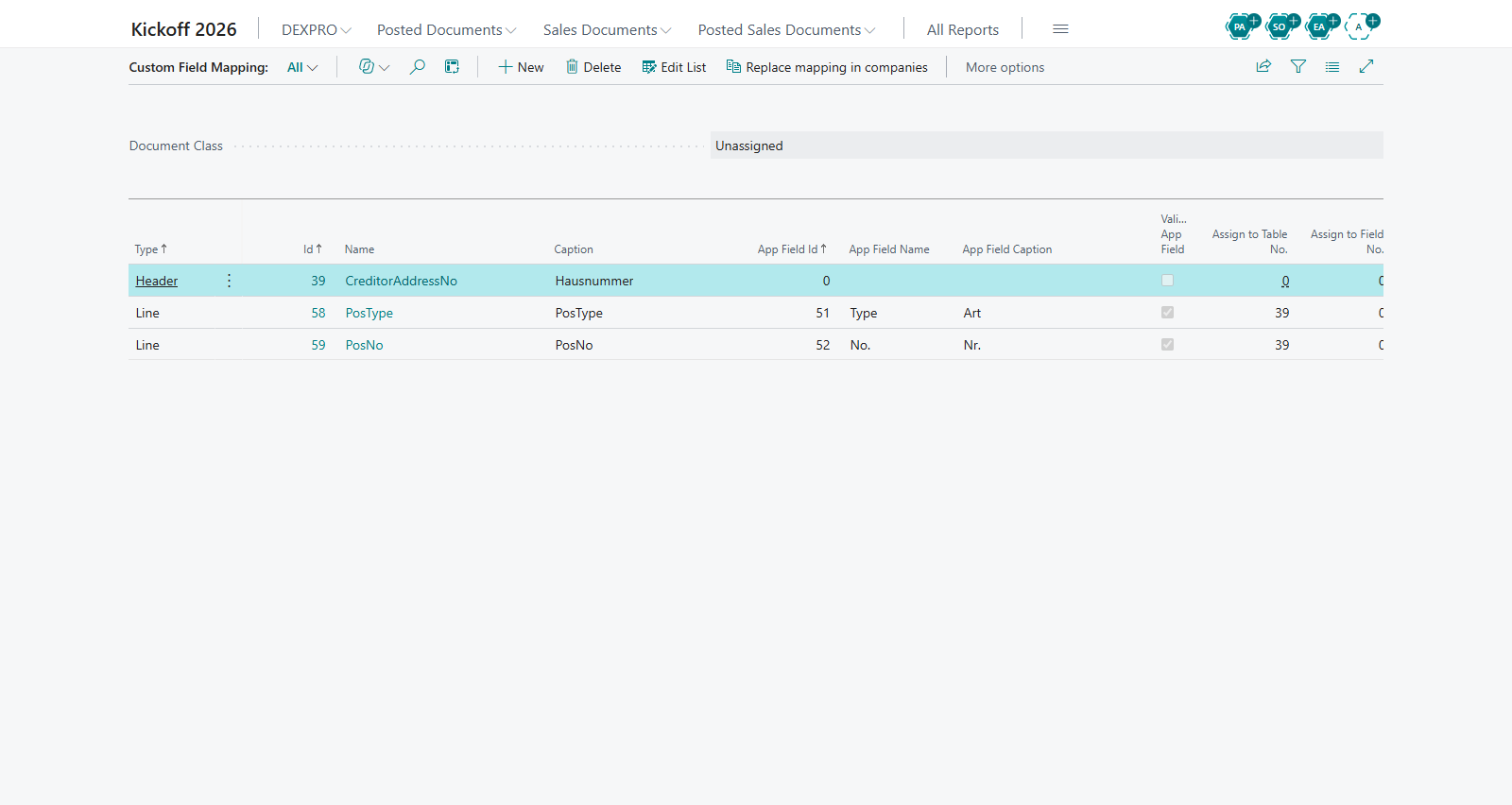
The Custom Field Mapping page maps custom app fields in the range 50000-99999 to target fields. This is intended for fields added by other extensions (the customer/partner field range) that need to be populated from the source data.
- Custom field — the custom field (50000-99999) to read from.
- Target field — the destination field.
Use this when your environment has custom fields that must be filled during document creation.
Which mapping to use
| Use case | Mapping surface |
|---|---|
| Standard, well-known fields of a document class (header or line) | Standard Field Mapping |
| Extra JSON fields present in the source data | Generic Additional Fields |
| Custom fields (50000-99999) added by another extension | Custom Field Mapping |
Use the Validate flag on Generic Additional Fields when the target field has validation logic that must run (for example to trigger dependent field updates). Leave it off to set the value directly.
Copying mappings to other companies
The Generic Additional Fields and Custom Field Mapping pages each have a Replace mapping in companies action that copies the mapping to other companies:
- Choose Replace mapping in companies and select one or more target companies. The current company is not offered.
- Confirm the question Do you really want to copy the settings to the following companies:. It lists the selected companies (at most ten, followed by the number of further selected companies) and defaults to No.
- The mapping is replaced in each target company, and a message reports the number of companies, for example The generic field mapping was replaced in 3 company(ies).
On the Custom Field Mapping page, only the mappings of the document class selected at the top of the page are replaced. To copy the Core Setup and both kinds of mappings in one step, use Copy Configuration to Companies on the Core Setup card.
Related features
- Core Setup
- Document Class Setup
- Document Creation Logs