Related approvals
Related approvals are additional approval requests for a running workflow instance – typically for related records (e.g. document lines).
Goal: You can model approvals at line level without all processing having to happen exclusively on the document header.
Prerequisites
- In the workflow template, Related Tables (e.g. sales/purchase lines) are correctly linked to the primary table. - In the respective step, Enable Related Approval is enabled.
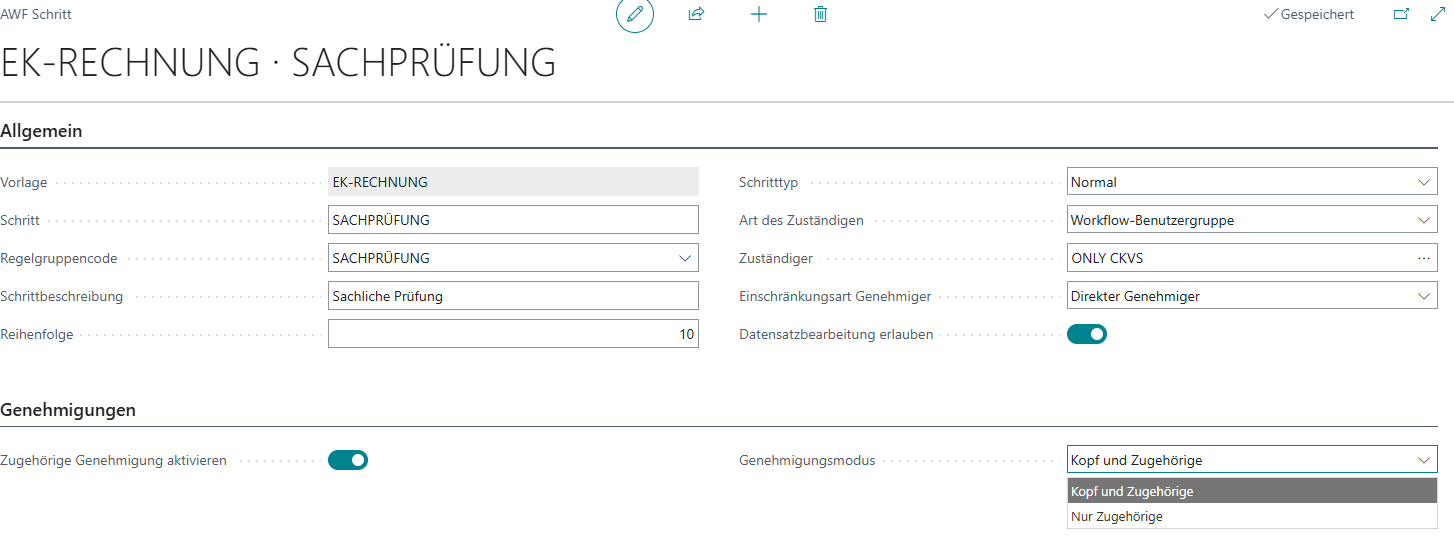
Configuration in the step
- In the workflow template → section Steps → open the desired step.
- In the area Approvals:
- Enable Related Approval = Yes
- Approval Mode choose:
- Header and Related: approval(s) for the header and related approvals (lines)
- Related Only: only related approvals (lines)
Rule effect (rule action) for related approvals
When related approvals are active, rules can additionally control for which approval type the action applies:
Applies To:
- Header: the rule action affects only the header approval.
- Related Only: the rule action affects only related approvals (lines).
- Header and Related: the rule action affects both.

Usage in practice
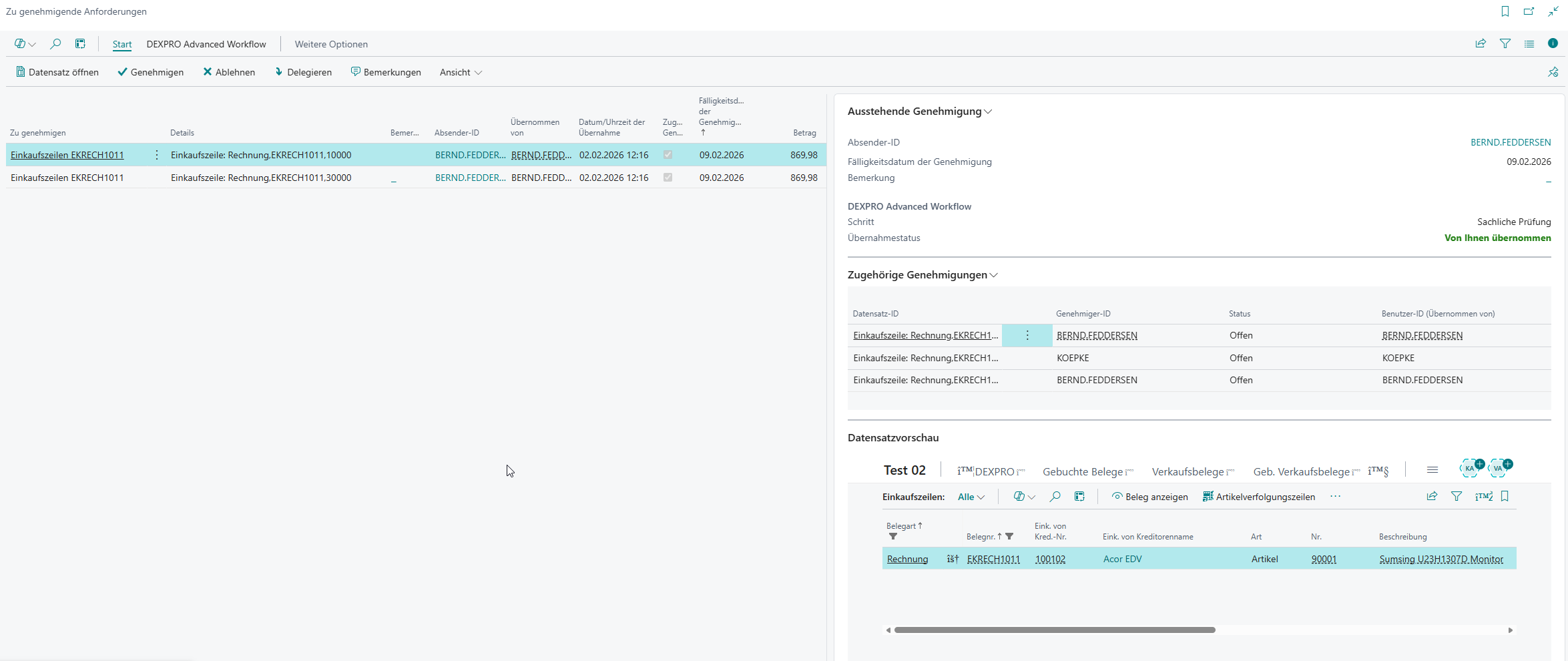
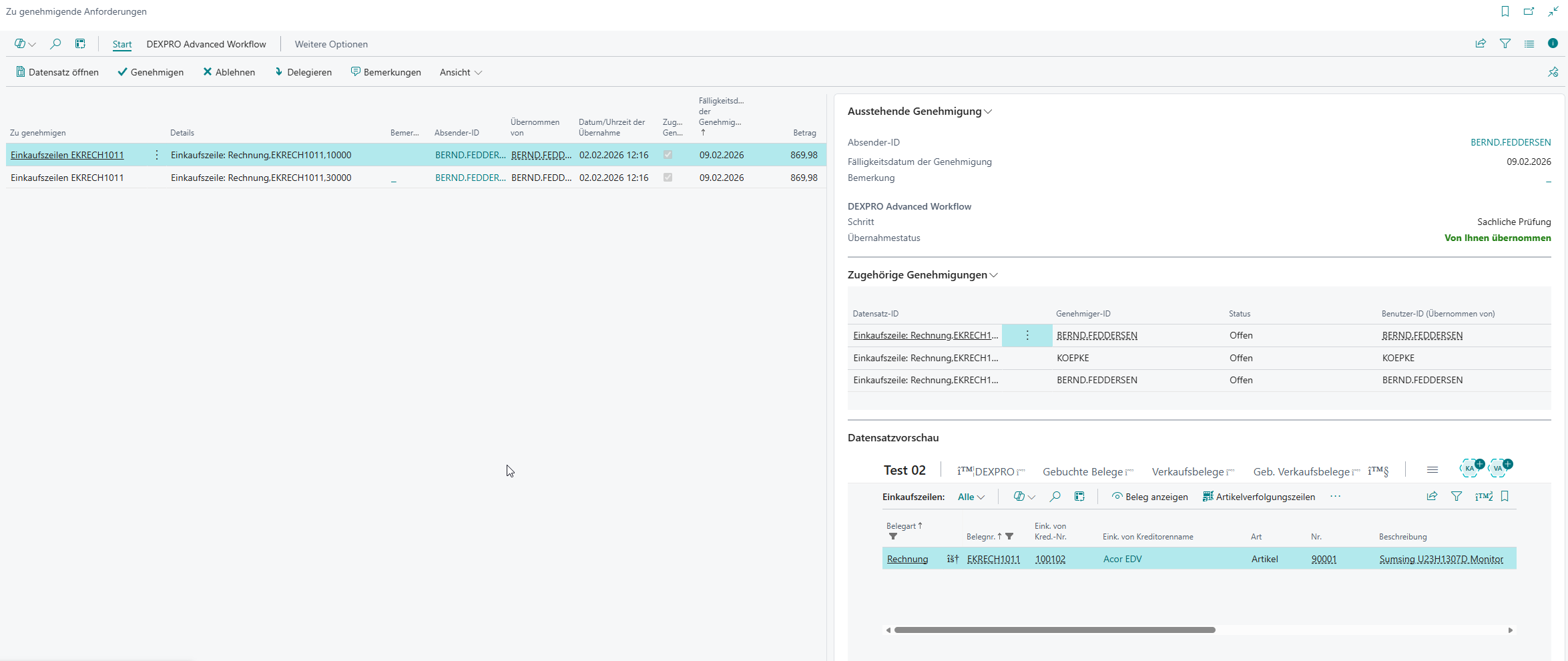
- In "Requests to Approve" line approvals are marked via Related Approval .
- When you select a line approval, the FactBox "Related Approvals" shows further related approvals for the same workflow instance (incl. status/take-over info).