
Konfiguration Client Credentials Flow (application) MS Graph API
[ENG]
Client Credential Flow Microsoft Graph API
Konfiguration in Squeeze
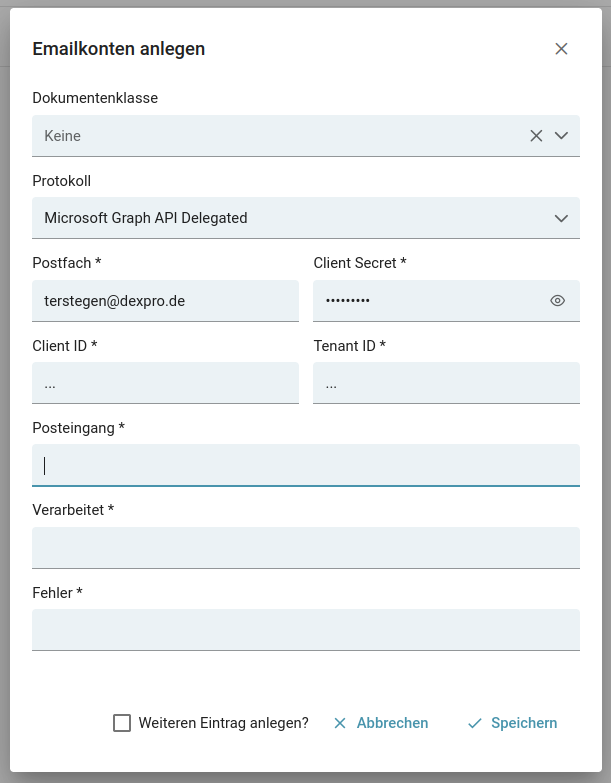
In the first versions of this feature, the configuration had to be maintained using the "Username" and "Password" fields. We recommend an update.
Expected value in the Username field: maxMustermann@mustermann.de/{client_id}/{tenant_id}
Expected value in the Password field: {client_secret}
Ordner - Konfiguration
In the folder configuration you need to specify three folders
- Inbox
This folder is regularly checked to import the emails it contains. - Done
The successfully imported emails will be moved to this folder. - Error
The emails that could not be imported (e.g. missing attachments) are stored in this folder.
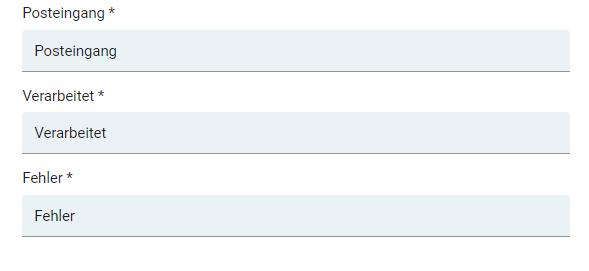
When defining the folders, please make sure that the names of the folders must be unique, since the folders are searched for in the directory structure of the mailbox.
If a configured folder is not unique, this can lead to a different folder being used than the desired one.
Configuration in AAD (Azure Active Directory)
Other necessary steps for a smooth process are the setup of an Azure Active Directory Application
with a Client Secret. The global registration of a mail service of "Dexpro" in the Azure Active Directory of the customer is not offered for the time being.
In addition, it must be ensured that the application has the following scopes.
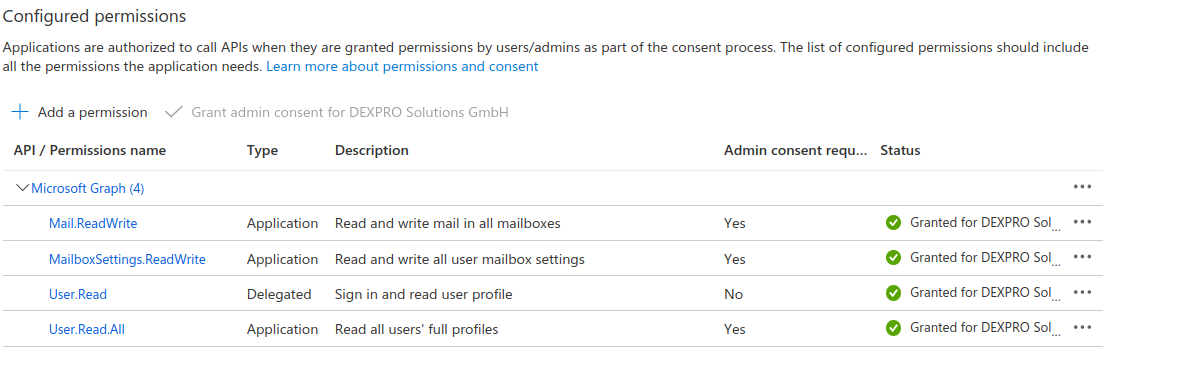
Im Standard hat diese Application nun Zugriff auf alle Postfächer.
Falls Sie diesen Zugriff auf einzelne Postfächer beschränken möchten, müssen zusätzliche Konfigurationen in Exchange Online, der AAD und mittels PowerShell getätigt werden.
In dieser Dokumentation von Microsoft wird beschrieben, wie Sie dies mittels Gruppenrichtlinien einrichten: Verwaltung der Gruppenrichtlinien in der Azure-AD
Wenn der Microsoft Artikel nicht ausreichend unterstützend ist, haben wir ein Leitfaden angefertigt der genauer beschrieben ist.
By default, this application now has access to all mailboxes.
If you want to restrict this access to individual mailboxes, additional configurations must be made in Exchange Online, the AAD and using PowerShell.
This documentation from Microsoft describes how to set this up using Group Policy: Managing Group Policy in Azure AAD.AAD.
If the Microsoft article is not sufficiently supportive, we have made a guide that is more detailed.