
User specific setup
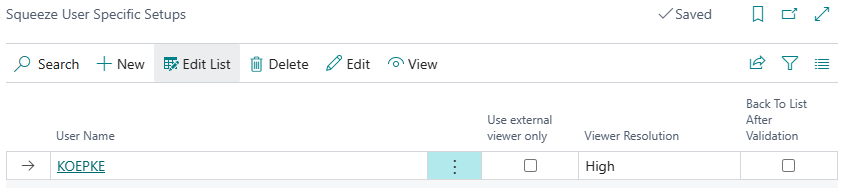
In this setup, user-specific settings are made.configured. ThisUsers givescan users the option of settingcustomize the app individuallyto tosuit their working methodworkflow and peripheral devices.
Viewer
- Use external viewer only: When enabled, the viewer is displayed exclusively in detached (external) mode. This is particularly recommended when working with two monitors. The detached viewer updates automatically when switching between documents.
- Viewer Resolution: Allows adjusting the viewer resolution. The options High and Low are available.
Validation
- Back to List After Validation: When enabled, the app automatically navigates back to the document overview after completing the validation. This speeds up processing when validating multiple documents sequentially.
- Deactivate Validation Dialog: When enabled, the confirmation dialog after completing the validation is suppressed.