Approving in practice
Requests to Approve (for every table)
DEXPRO Advanced Workflow can be used for practically any table because processing the approval does not necessarily have to happen on a specific document/card page.
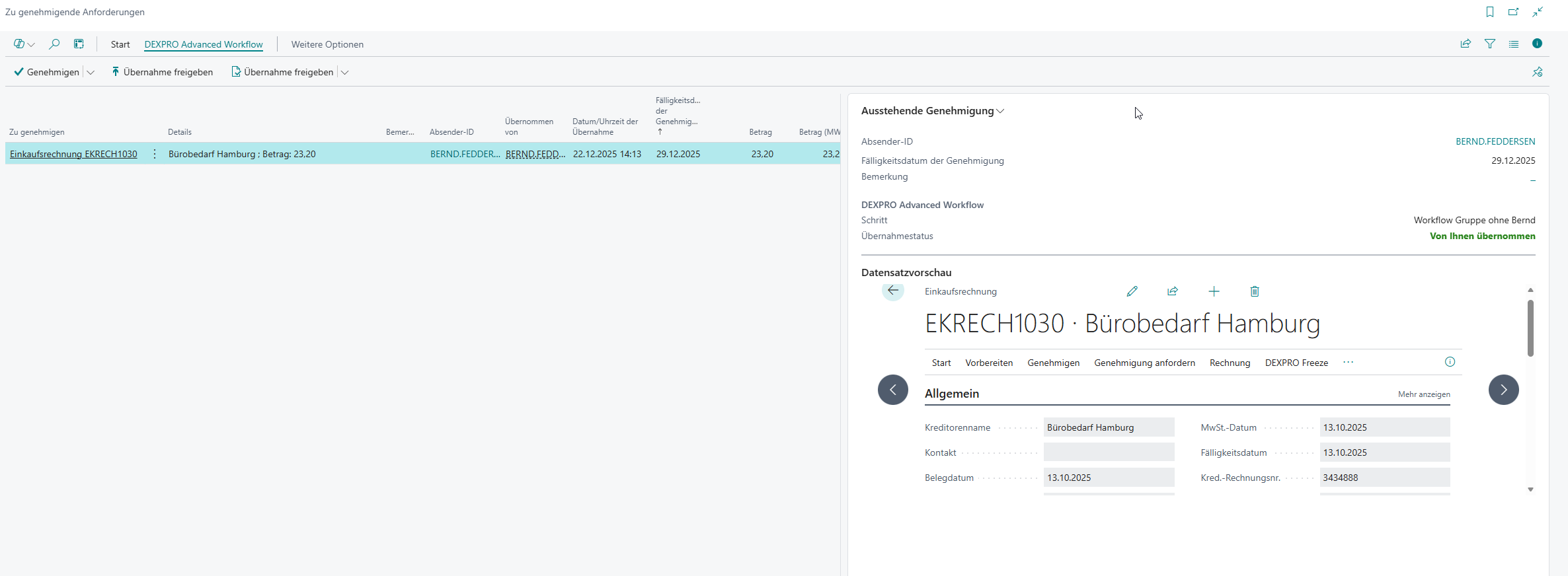
When a workflow creates an approval, approvers can process it via the (standard Business Central) page "Requests to Approve" . This page is extended by AWF:
- Record Preview: In the "Record Preview" FactBox you see the underlying record.
- Claim information: The fields "Claimed By" and "Claimed Date/Time" show who has claimed a group approval.
- Related Approvals: The field "Related Approval" marks line approvals; the "Related Approvals" FactBox shows further related line approvals for the same workflow instance.
- Approval Actions: Actions such as "Approve", "Reject", "Delegate" and
and"Cancel Approval Request".. - Approval Claims: Actions "Claim Approval" and "Release Claim".
- Approval Administrator (if authorized): among others "Reassign Approval".
Important: Before approving/rejecting/delegating, first choose "Claim Approval" so that you can work on the request exclusively.
Releasing a claim
"Claim Approval" and "Release Claim" exist for group approvals only — approvals assigned to a workflow user group. "Release Claim" gives such an approval back to exactly the group it was claimed from, also when a rule, a reassignment or an out-of-office substitution chose that group: the other members' approvals that the claim cancelled are reopened, and any member can claim the approval again.
An approval assigned to one approver directly, or through the document's salesperson/purchaser, is claimed automatically and cannot be released — there is no group for it to go back to. "Release Claim" is not offered for it, and for approval administrators "Release Claim" ("Release Line Claim" on document lines) is greyed out. To have somebody else work on such an approval, reassign it with "Reassign Approval". The administrator's "Claim" (taking the approval over) remains available for directly assigned approvals too.
With several document lines selected, "Release Line Claim" — the user's action as well as the administrator's — releases the group approvals and skips the others; so does the administrator's "Release Claim" in the "Related Approvals" FactBox. Elsewhere, an attempt to release a directly assigned approval is refused with (%1 is the approver): This approval is assigned to %1 directly, not to a workflow user group, so there is no group to release it to. To hand it to somebody else, reassign it.
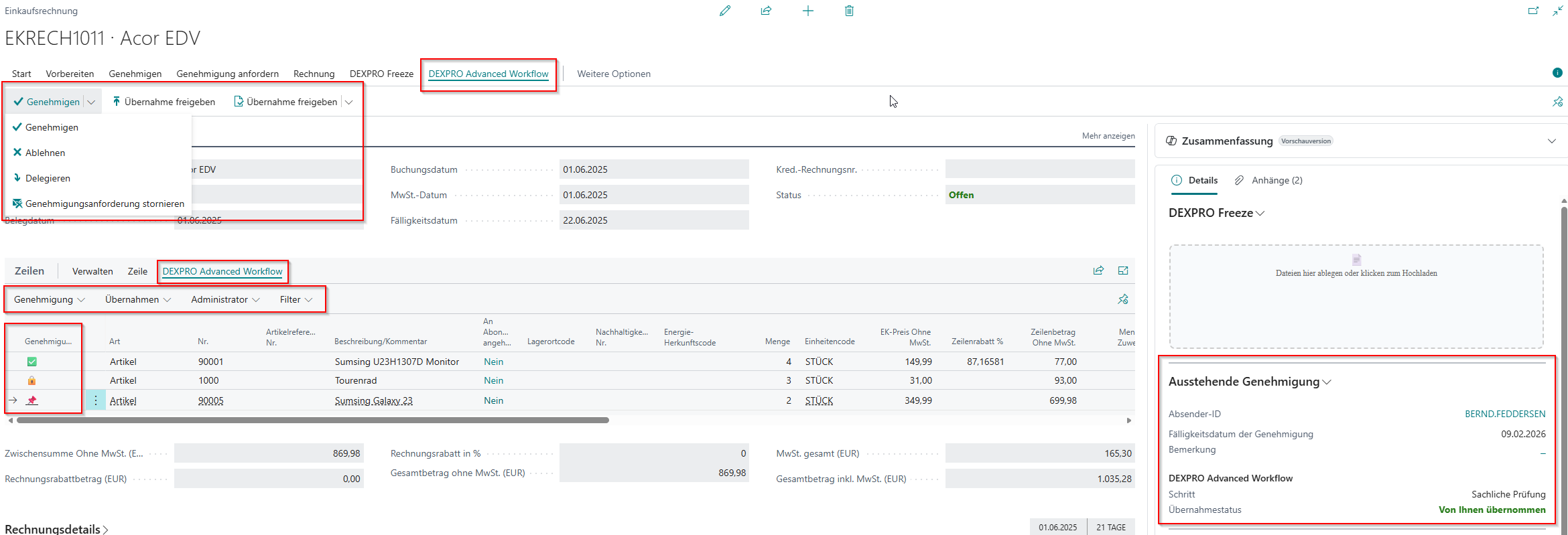
Using a purchase invoice as an example:
Here you can control the approval process at header and (if enabled) line level.