
Approving in practice
Requests to Approve (for every table)
DEXPRO Advanced Workflow can be used for practically any table because processing the approval does not necessarily have to happen on a specific document/card page.
When a workflow creates an approval, approvers can process it via the (standard Business Central) page "Requests to Approve" . This page is extended by AWF:
- Record Preview: In the "Record Preview" FactBox you see the underlying record.
- Take-over information: The fields "Taken Over By" and "Take-Over Date/Time" show who has taken over a group approval.
- Related Approvals: The field "Related Approval" marks line approvals; the "Related Approvals" FactBox shows further related line approvals for the same workflow instance.
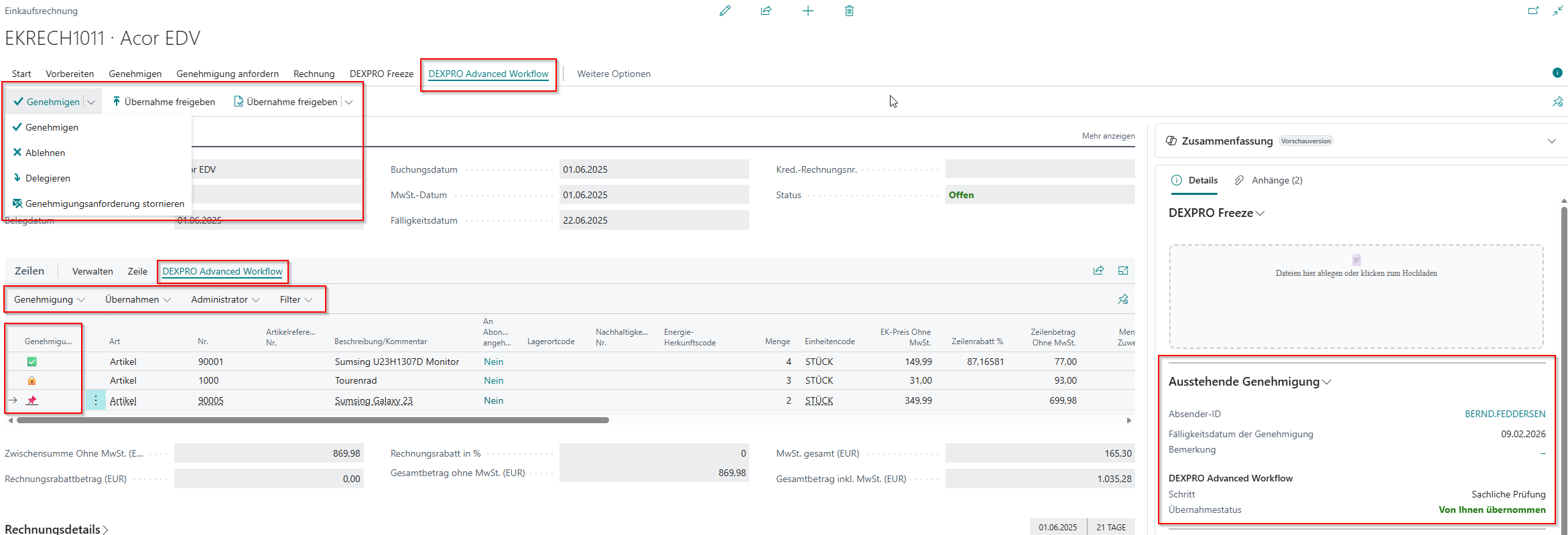
- Approval Actions: Actions such as "Approve", "Reject", "Delegate" and and "Cancel Approval Request"..
- Approval take-overs: Actions "Take Over Approval" and and "Release Take-Over"..
- Approval Administrator (if authorized): among others "Reassign Workflow"..
Important: Before approving/rejecting/delegating , first choose "Take Over Approval" "Take Over Approval"so that you can work on the request exclusively.
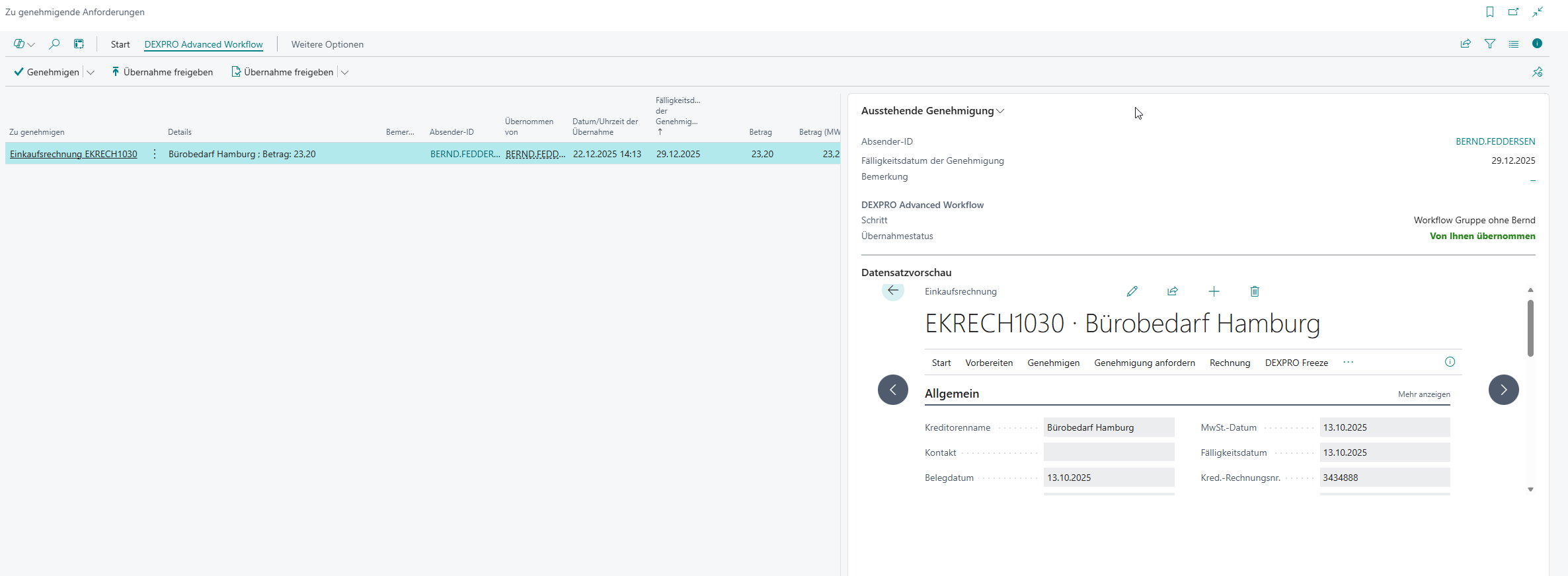
Using a purchase invoice as an example:
Here you can control the approval process at header and (if enabled) line level.
No comments to display
No comments to display