
Step 0 – Check supported tables & events (must-know)
What are "AWF Supported Tables"?
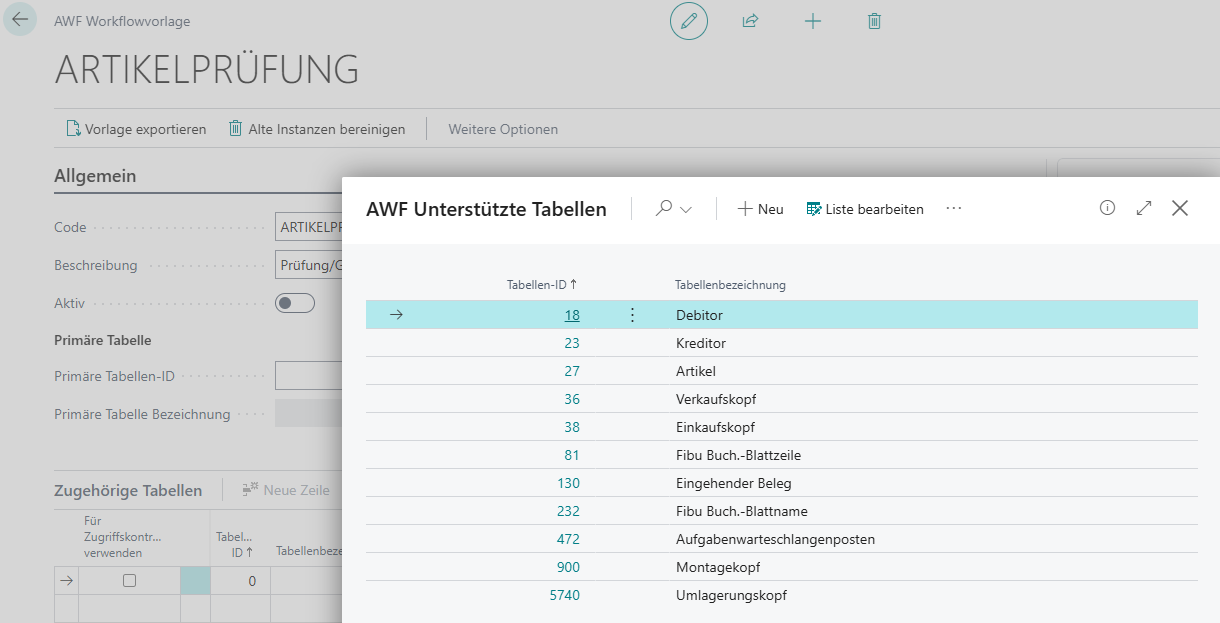
In "AWF Supported Tables" you maintain which tables can be selected as the primary table at all.
Important:
- In the workflow template, only supported tables can be chosen as the primary table.
- Per supported table, the following is additionally maintained:
- Workflow Events (which events may be used as triggers)
Initialize default tables
Since AWF Supported Tables is not directly searchable via Tell Me, open the page as follows:
- Open AWF Workflow Templates.
- Open a template (or create a new template).
- In the "Primary Table" area, open the lookup of "Primary Table ID"..
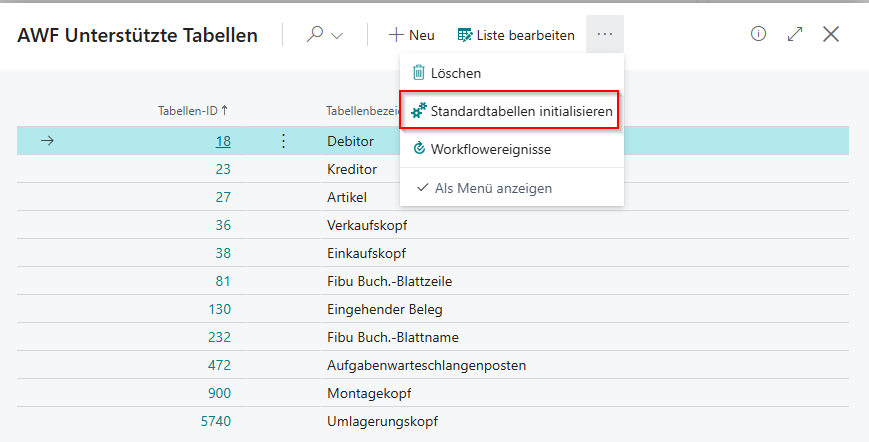
- In the opened list AWF Supported Tables Action "Initialize Default Tables" run it (it is also initialized directly when opening).
- Confirm.
This action initializes or repairs the default configuration.
View workflow events per table
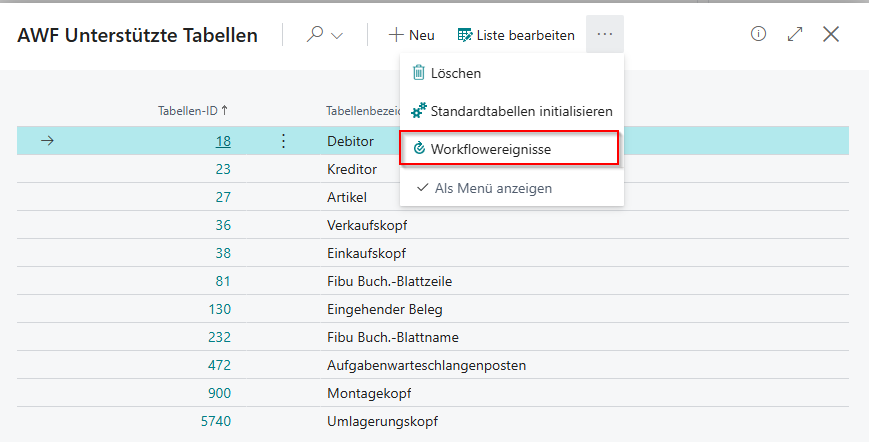
On AWF Supported Tables:
- Action "Workflow Events": shows valid workflow events for the table
No comments to display
No comments to display