
Configure workflow triggers
Workflow triggers determine when a new workflow instance is started.
In the template the section is called "Workflow Triggers".
Template triggers: basic fields
- In the template → section Workflow Triggers.
- New.
- Field Workflow Event select (AssistEdit → list "AWF Table Workflow Events").
- Active = Yes.
- Priority set (order when several matching triggers exist).

Trigger rules: when may a trigger fire?
On the trigger there is a Rule Group Code. Via the action "Show Rules":
- mark the trigger.
- Show Rules.
- Maintain rules/rule conditions as in Step rules .
Important system behavior:
- If no rule conditions exist for this trigger rule group, the trigger is considered satisfied (the trigger then fires in principle).

OnAfterModify: Monitored fields
For the event OnAfterModify there is the action "Monitored Fields".
- Mark the trigger with the workflow event OnAfterModify .
- Action "Monitored Fields".
- select fields (lookup via "Fields Lookup").
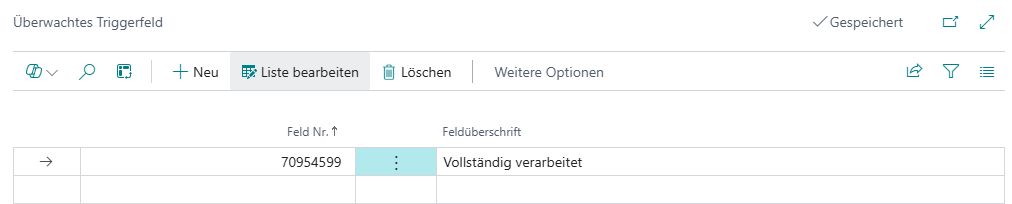
- In the current implementation, an OnAfterModify trigger is only started when at least one monitored field is maintained and this field has actually changed.
- If no monitored fields are maintained, the trigger is not started on OnAfterModify.