
Working with Electronic Invoices
Sales Documents
Sales Orders and Invoices
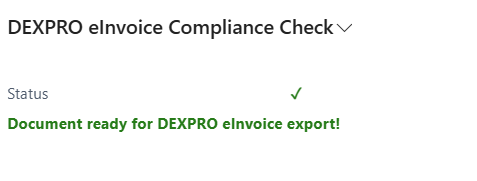
Sales documents such as orders and invoices now have a fact box for the e-invoice conformity check. This informs the user of the following:
- Required fields that are empty
- Validation warnings
- Compliance status
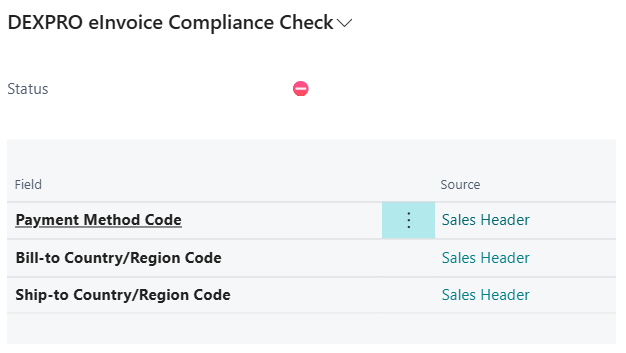
Common Missing Fields:
- Customer VAT registration numbers
- Complete billing addresses
- Valid email addresses
- Payment method codes
Posted Sales Invoices
In the Posted Sales Invoices list, you'll see:
New Fields:
- DXP eInvoice Document Sent: Shows if electronic document was sent
New Actions:

- Download DEXPRO eInvoice: Download electronic document
Posted Sales Credit Memos
Similar functionality available in Posted Sales Credit Memos:
- Document status tracking
- Download action; emailing works as for invoices through the standard Email action
Service Invoices
Electronic invoicing is also available for Service Invoices with the same functionality.
Document Types and Formats
When downloading documents, you can choose from:

- XRechnung XML: Pure XML format compliant with German standards
- ZUGFeRD PDF: Hybrid PDF with embedded XML data
- XRechnung XML and Standard PDF: Both formats in a ZIP file
Sending Documents
Manual Sending
- Open any posted sales document
- Click Email, the standard Business Central action
- The app completes the email automatically:
- Attaches the e-invoice in the format of the sending profile if Add eInvoice to Email Attachments is on
- Uses the Override Contact Email as recipient and the CC Email Address as CC from the customer setup, if set
- Marks the document as eInvoice Sent once the email has been sent
Which attachments the app replaces and which always stay is described on the eInvoice Sender Setup page, section E-invoice in email sending.
Automatic Processing
The system can automatically process documents through the Document Queue:
- Documents are queued when posted
- Background processing generates and sends electronic documents
- Status tracking shows processing progress