
Login with Microsoft
With Squeeze version 2.20, it is possible to log in easily using Microsoft Entra ID, also known as Azure AD.
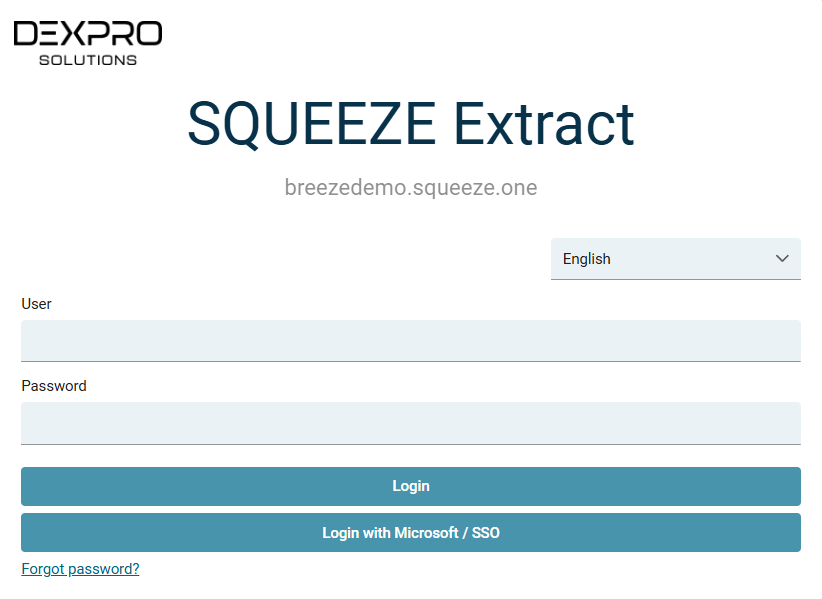
This page describes how you can display a login button on the Squeeze login page. Once the configuration is complete, the login page will look like this:
Configuration in Microsoft Entra ID
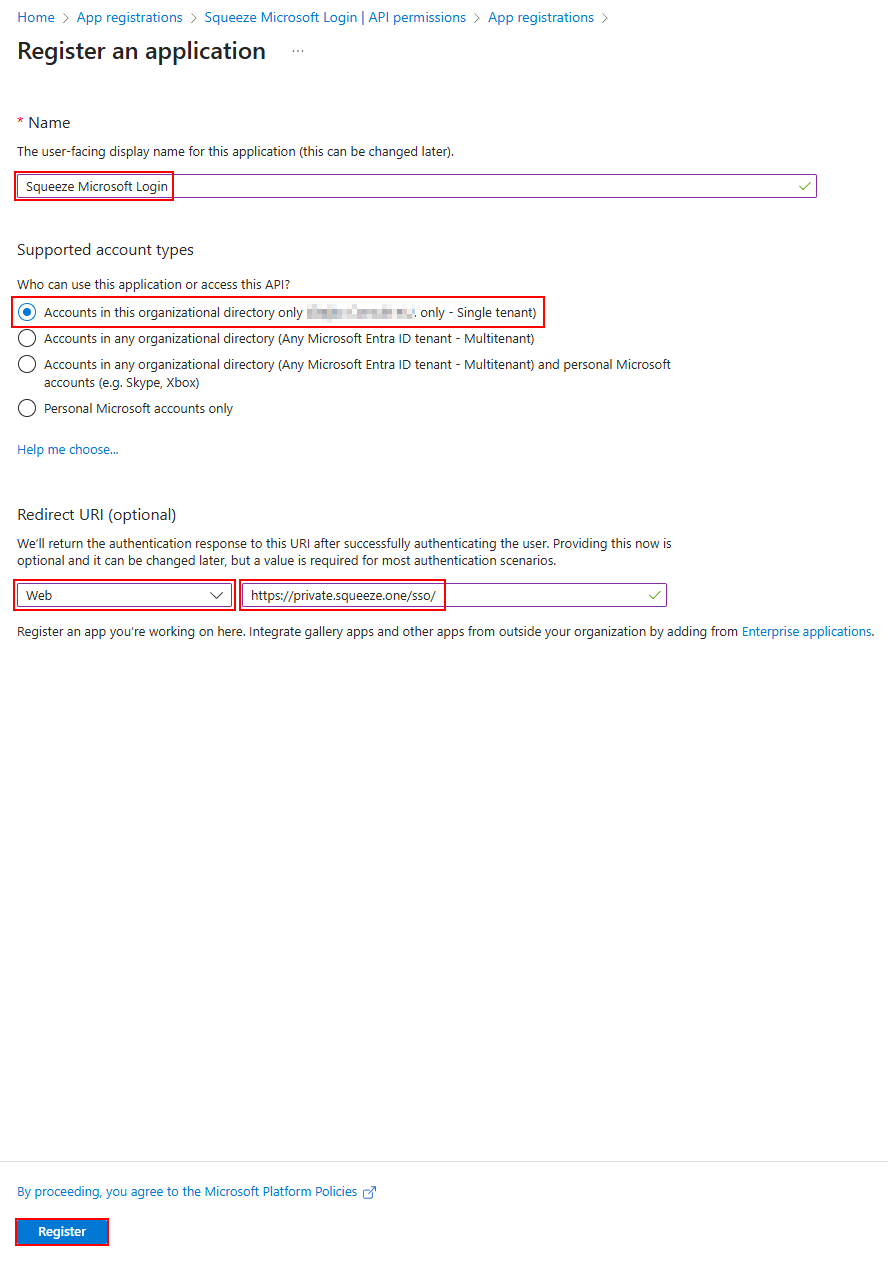
Create a Microsoft Entra App for your organization
The redirect URL is the URL of your Squeeze tenant with the additional path /sso/
In this example it is https://private.squeeze.one/sso/
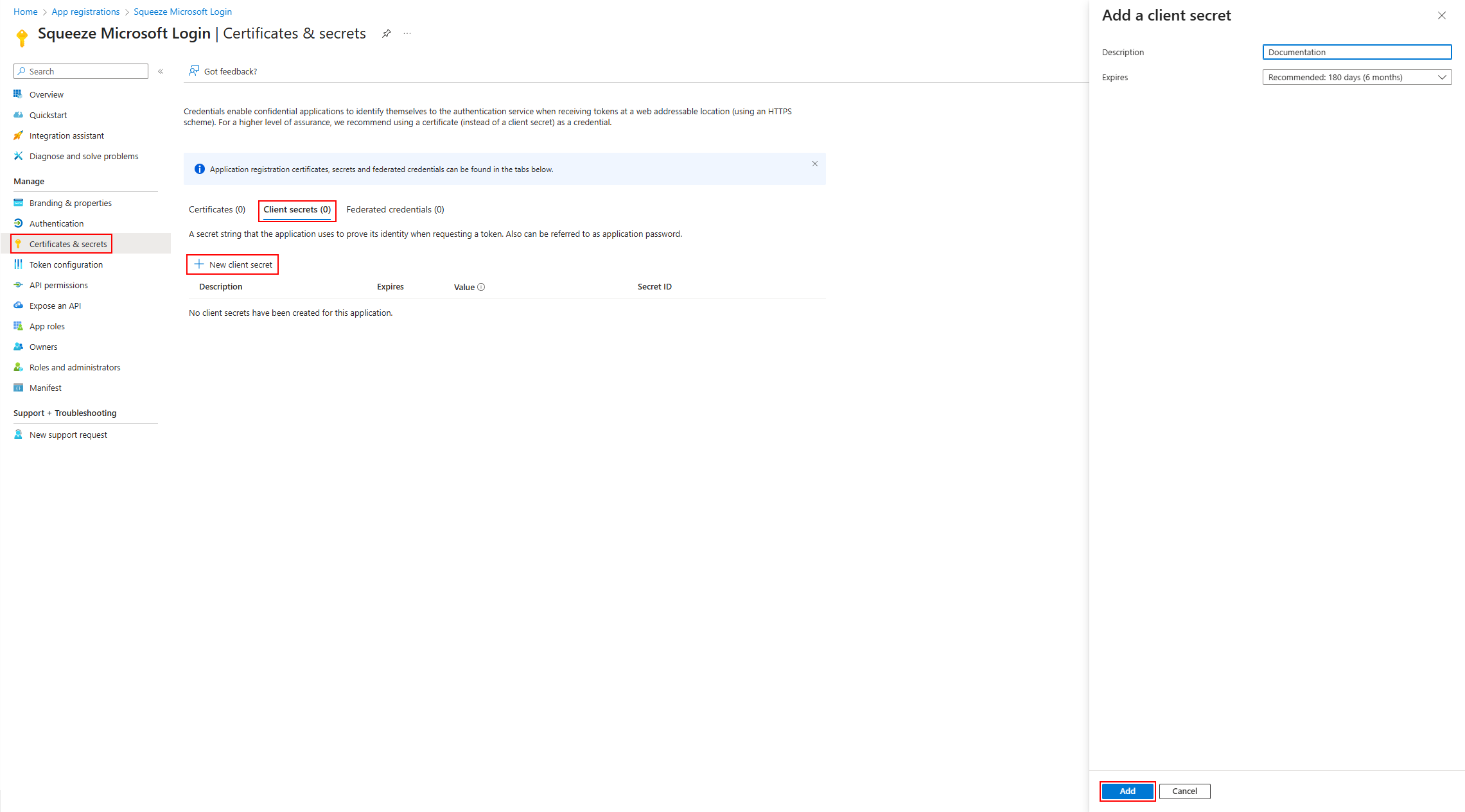
Create a client secret for the app
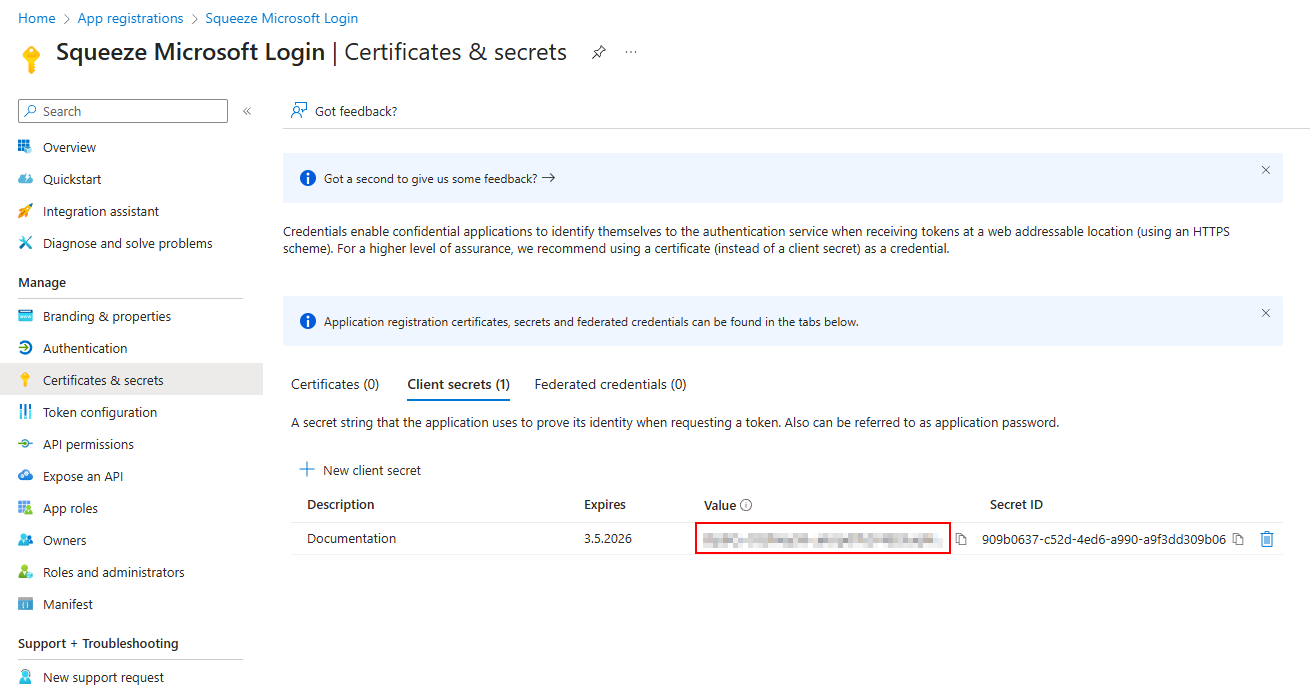
Copy the client secret value.
Please note that the secret cannot be viewed or copied later.
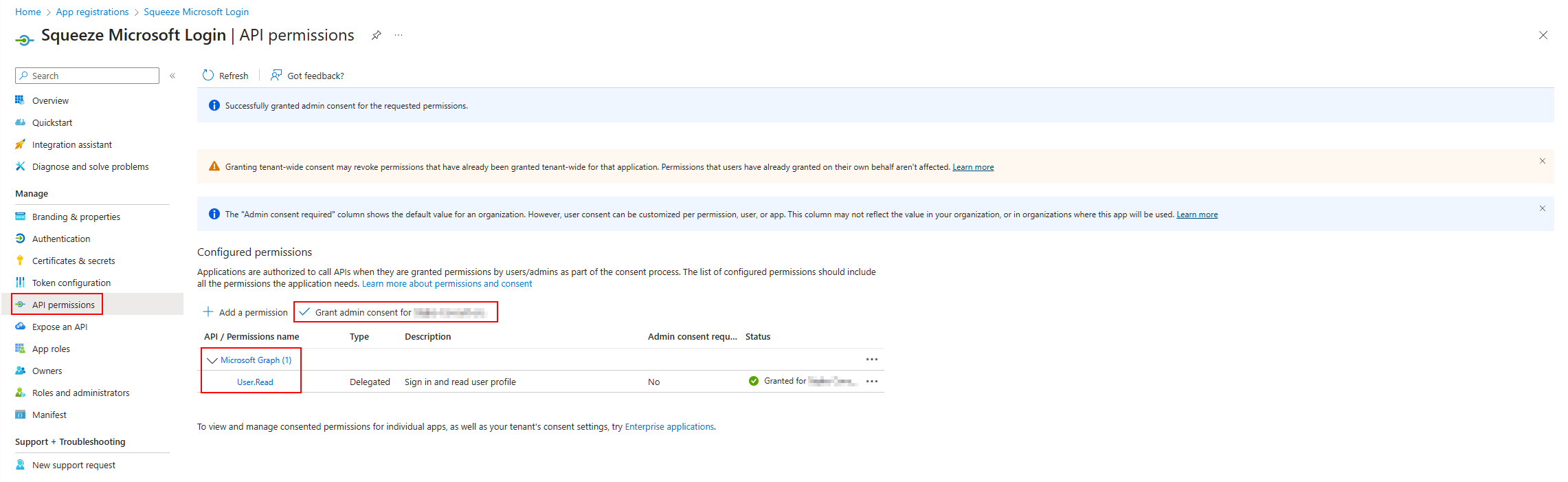
Add the API permissions
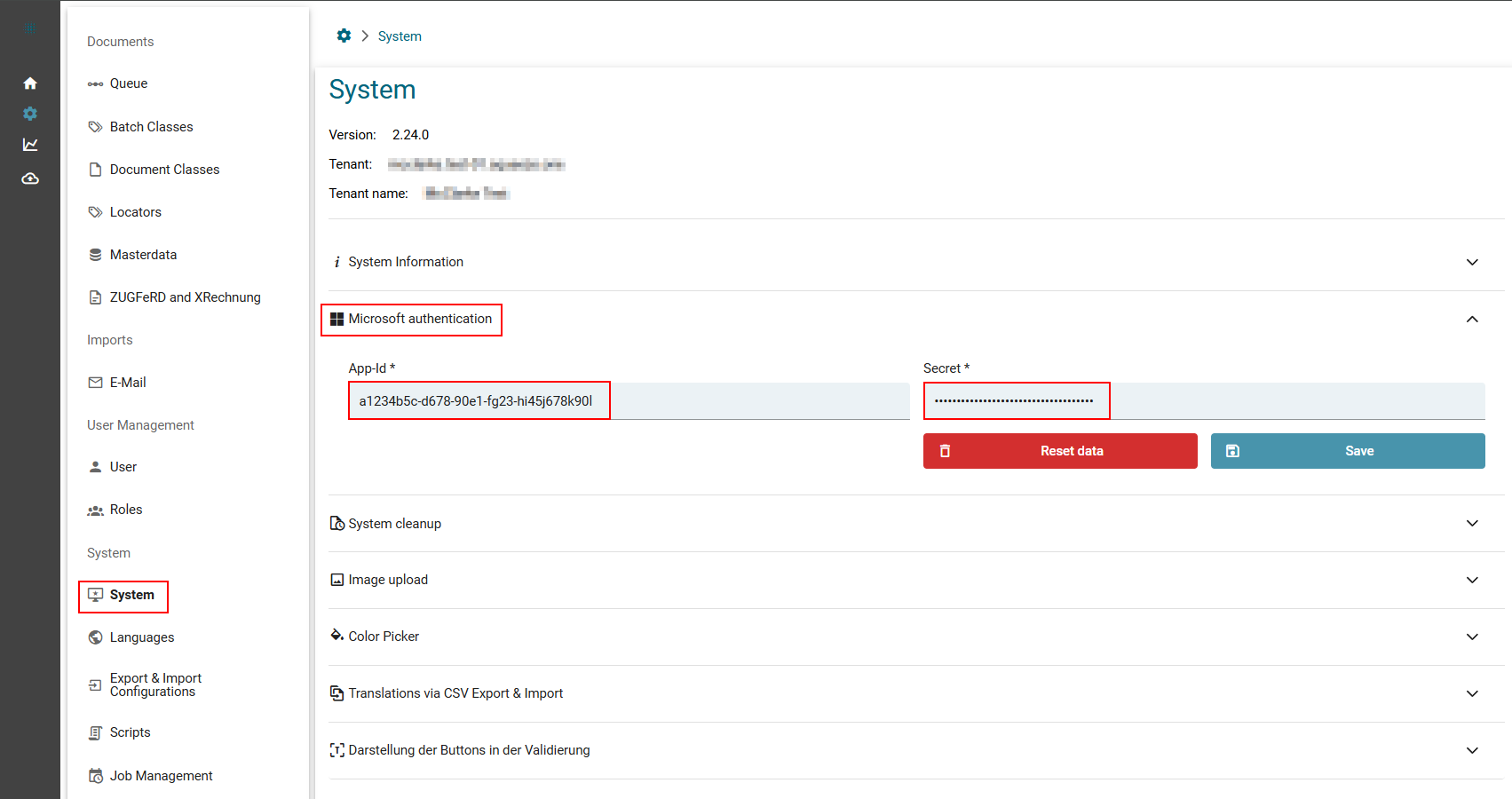
Enter the Client App-Id and client secret in Squeeze
No comments to display
No comments to display