
Guideline - Validation
This guide documents how a document should normally be documented.
1. Opening the validation
"Validation" takes you to the main work area of the application. Here, the user checks and confirms the documents that have been read. Validation can be opened via the Squeeze item in the tab bar.
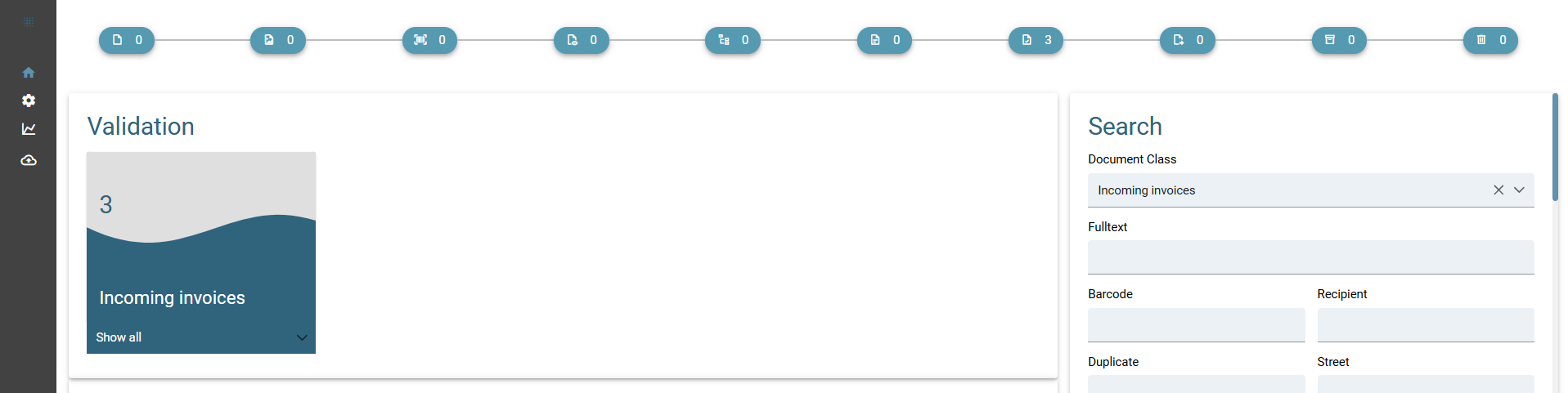
A new page opens showing all documents that Squeeze has processed so far and which now need to be validated, i.e. confirmed or corrected by the user.
 Clicking on a line opens the selected document so that it can be checked and confirmed.
2. Overview of validation
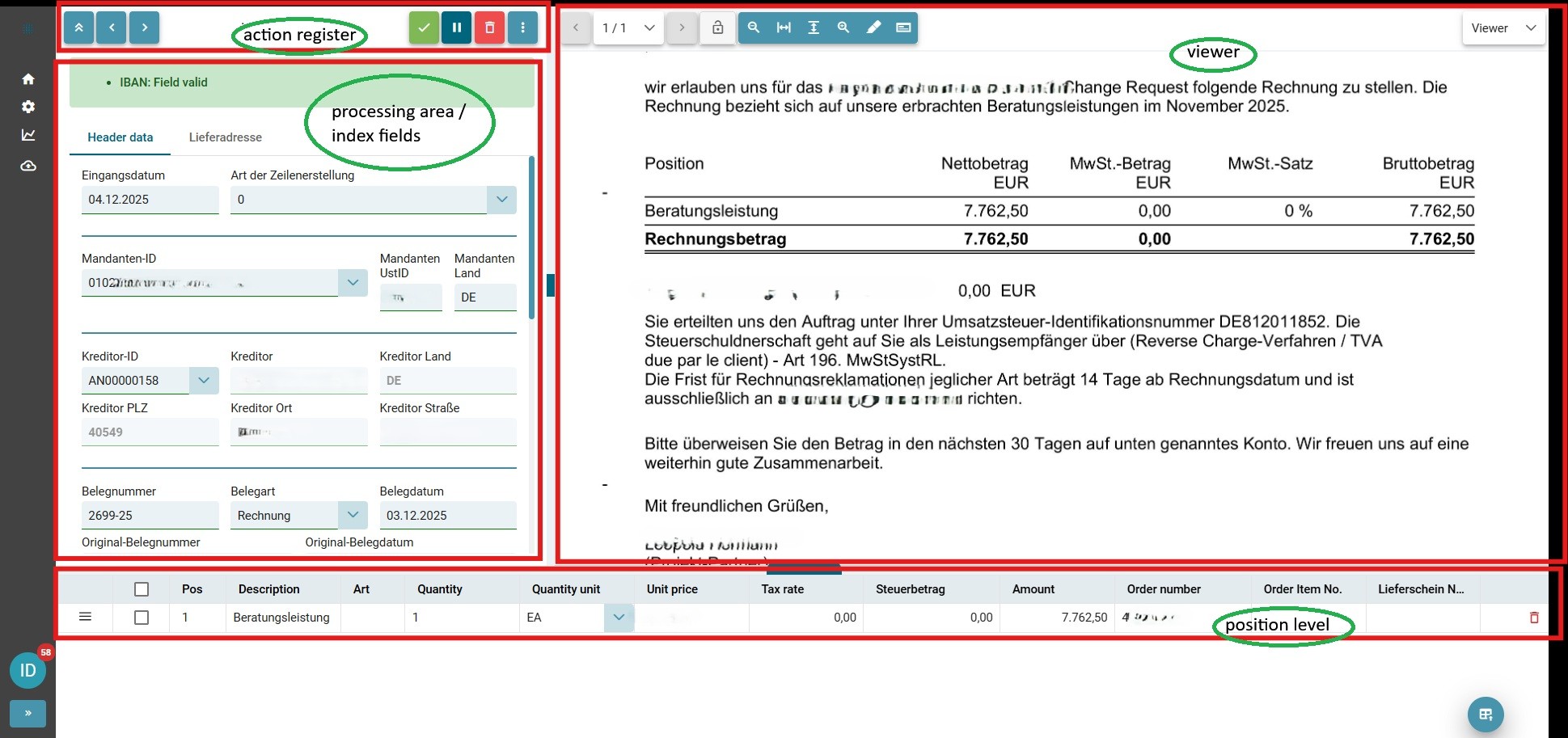
The validation view is divided into four areas:
• index fields / processing area
• action register
• viewer
• position level
3. Example validation of a document
Now the actual validation of the extracted document begins.
During validation, you usually perform two tasks:
• Checking the field values recognised by Squeeze. Has all the information from the processed document been read correctly?
• Correcting incorrect field values and adding missing ones.
The user interface supports this activity by colour-coding the fields. For example, empty mandatory fields are marked in red to indicate that the document is not yet valid.
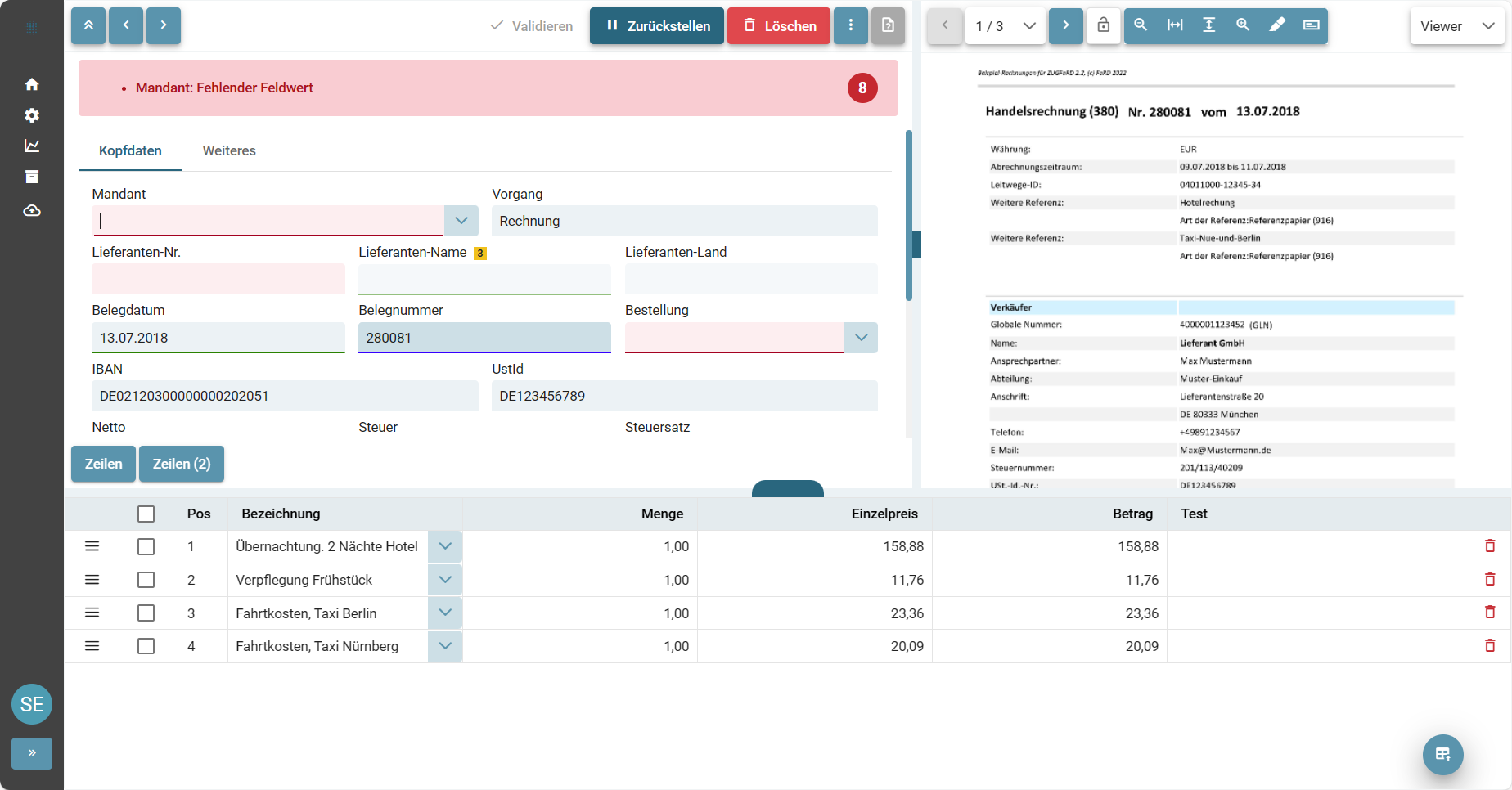
Sind alle Felder gefüllt und bestätigt wird der Validierungsbutton grün und das Dokument kann als valide bestätigt werden. Der Beleg wird gespeicht und an die Schnittstellen geschickt. Danach wird der nächste Beleg geladen.
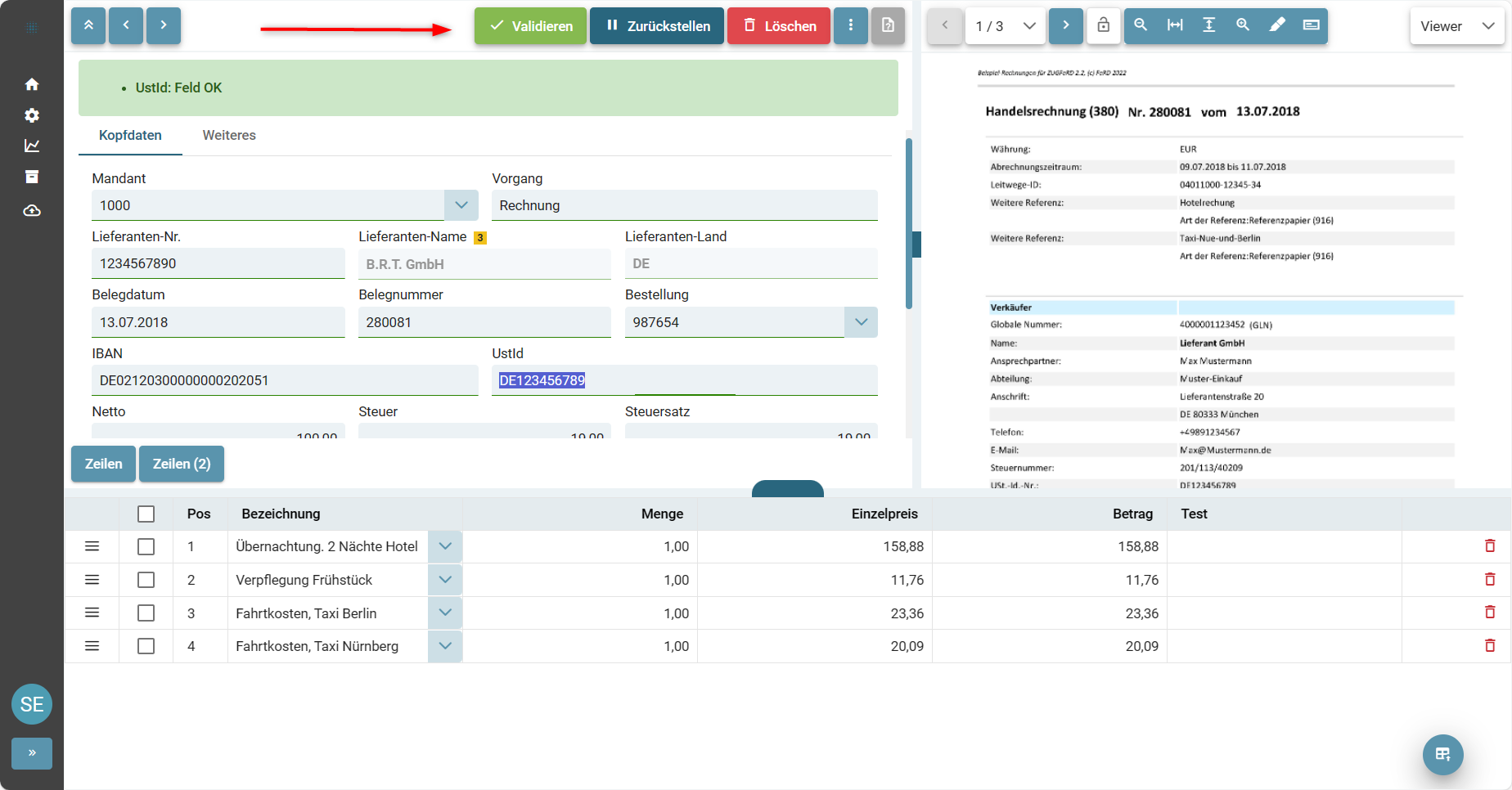
Werden Fehler in der Schnittstelle gemeldet, wird der Mitarbeiter direkt darüber informiert.
In der Regel handelt es sich hierbei um Plausibilitätsprüfungen, die fehl geschlagen sind oder die Schnittstelle meldet einen Fehler zurück, welcher dann durch manuelle Eingabe zu korrigieren ist. Z.B. „Buchung nicht möglich, Periode geschlossen“.
Wurden die Daten korrigiert, kann erneut „validiert“ werden.
No Comments