
Search for documents
The document search is the entry point for searching and filtering documents.
Sort
You can sort the results of your document search by using the Sort button:

Filter
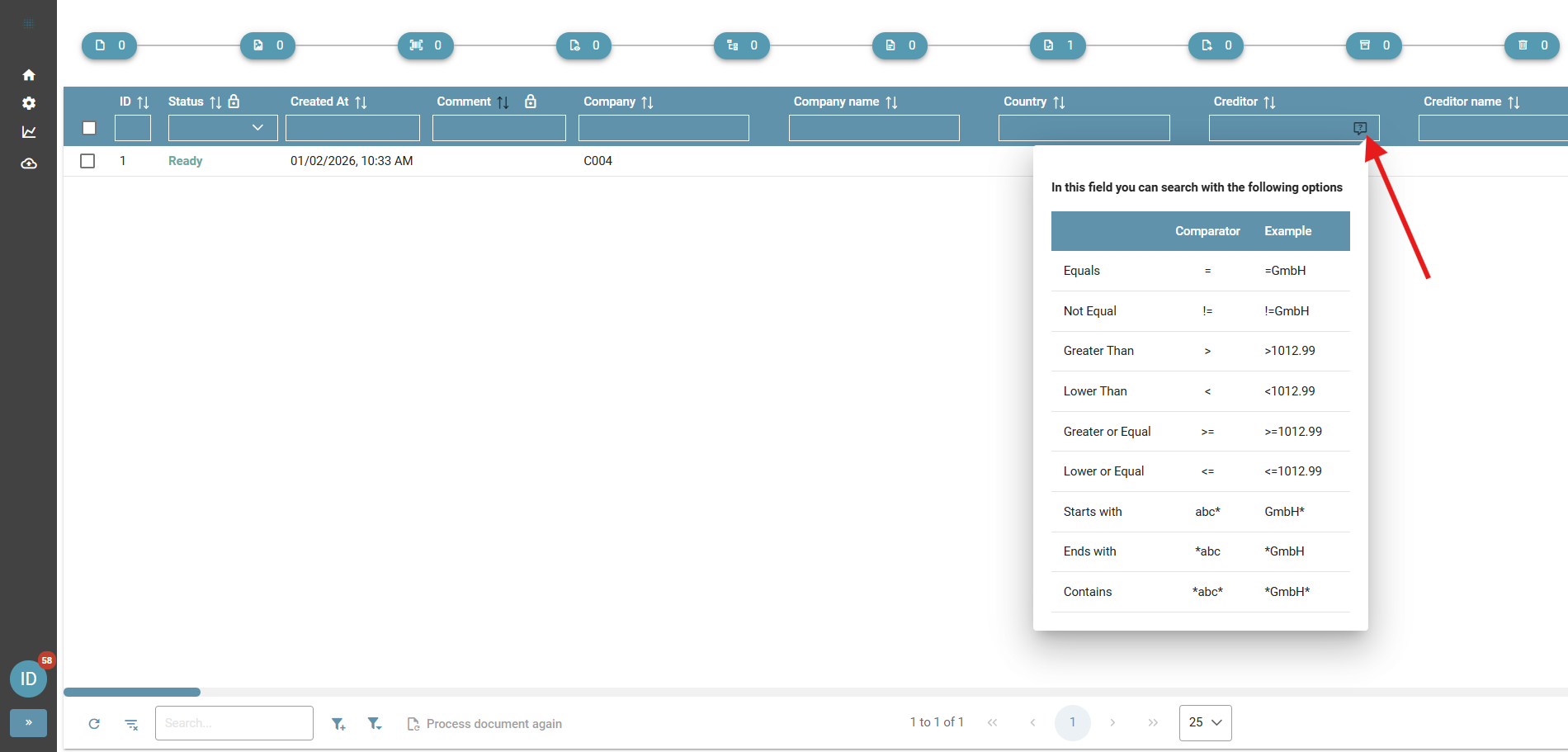
You can filter the results of your document search by using the input fields in the header row of the table. To find out how to search in a field, press the help button (available from Squeeze 2.6 onwards). The menu that opens will show you examples of searches in the selected field:
No comments to display
No comments to display