
Freeze Queue Entries
All archiving processes are listed and processed here.
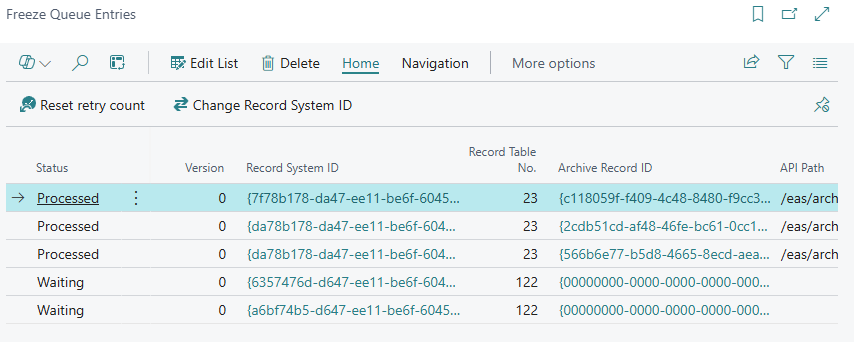
Queue Entry Fields
- Entry No.: Sequential number of the queue entry.
- Record Title: Title of the record to be archived.
- Record Type: The type of archive folder (e.g. Invoice, Credit Memo, Miscellaneous).
- Status: The current status of the entry:
Imported– The entry has just been created and is waiting to be picked up.Waiting– The entry is queued and will be archived on the next processing run.Processed– The record has been sent to the Freeze archive and is awaiting verification.Archived– Archiving was completed and verified successfully.Error– An error has occurred (see Error Notice / Last detailed error).
- Error Notice: Brief error description for failed archiving operations.
- Last detailed error: Full error message with details.
- Retry count: Number of retry attempts so far.
- Reference Date: The reference date under which the record is stored in the archive.
- Attachment count not matching: Indicates whether the number of local attachments matches the count in the archive.
The processing Job Queue Entry
Queue entries are processed automatically by codeunit 70954898 DXP Freeze Queue Processing. You do not have to create this Job Queue Entry manually: it is created automatically the first time the Freeze Setup page is opened.
- Object Type: Codeunit
- Object ID: 70954898
- Recurrence Interval: 1 minute
- Initial status: On Hold – an administrator must set the entry to Ready to start automatic processing.
On each run, the job works through the queue in the following order: it first clears entries that are already Archived, then retries entries in Error (up to a maximum of 3 retries), verifies entries in Processed against the archive, and finally archives entries in Waiting.
No comments to display
No comments to display