
Module: Workflow Visualization
The workflow visualization shows an interactive graphical representation of the workflow template with all steps and connections.
Open the visualization
- In the AWF Workflow Template → action "Visualization".
- The visualization shows:
- Step nodes with step code, step name, and step type (Normal / Error / Final)
- Connections between steps (based on rule actions and default transitions)
- Color coding by step type
Prediction
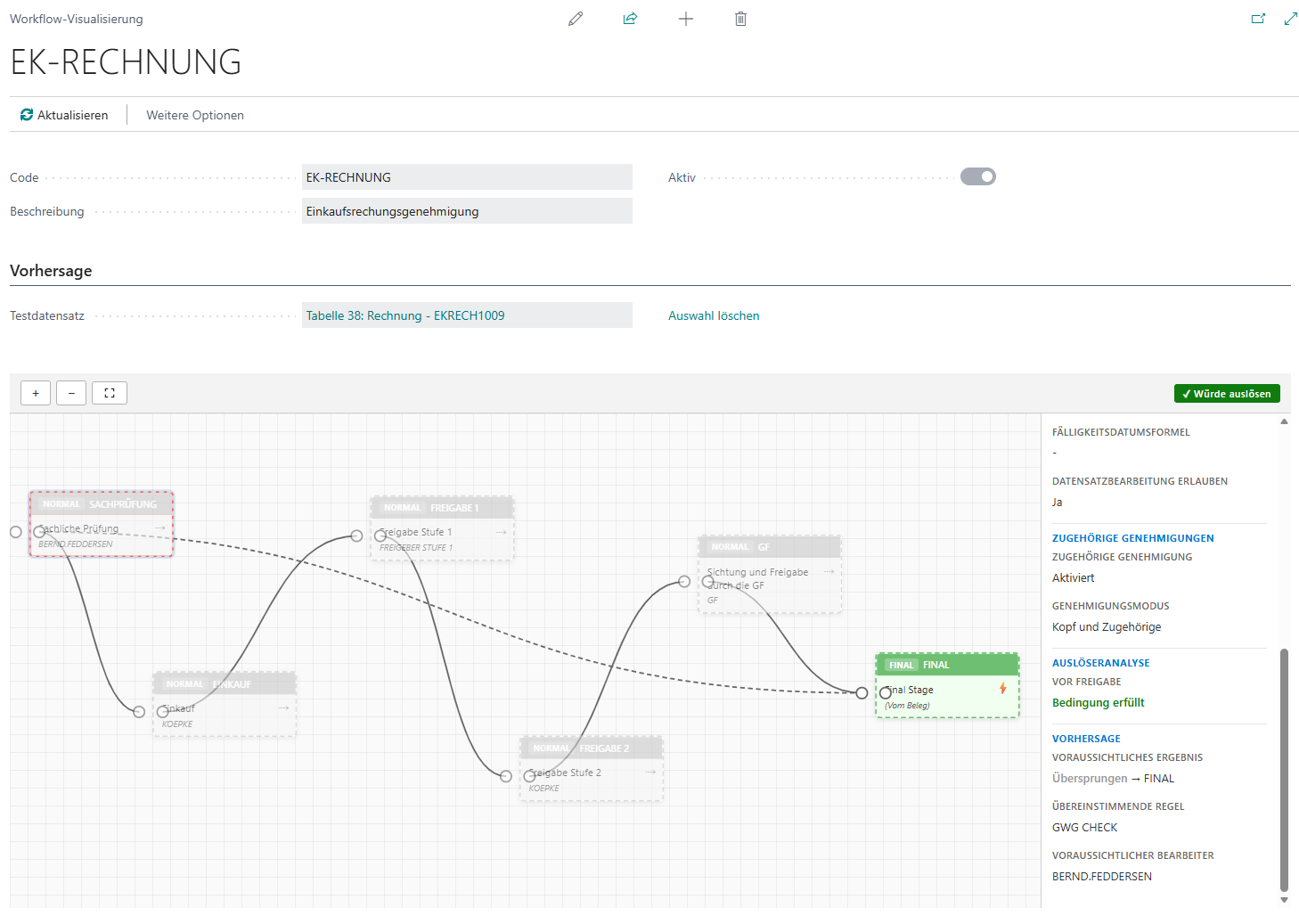
In the "Prediction" area you can select a test record:
- Click "Test Record" and select a specific record from the primary table.
- The visualization then shows the expected path of the workflow:
- Which steps would be auto-approved
- Which steps would be skipped
- Which steps require a manual approval
- With "Clear Selection" you reset the prediction.
Instance mode
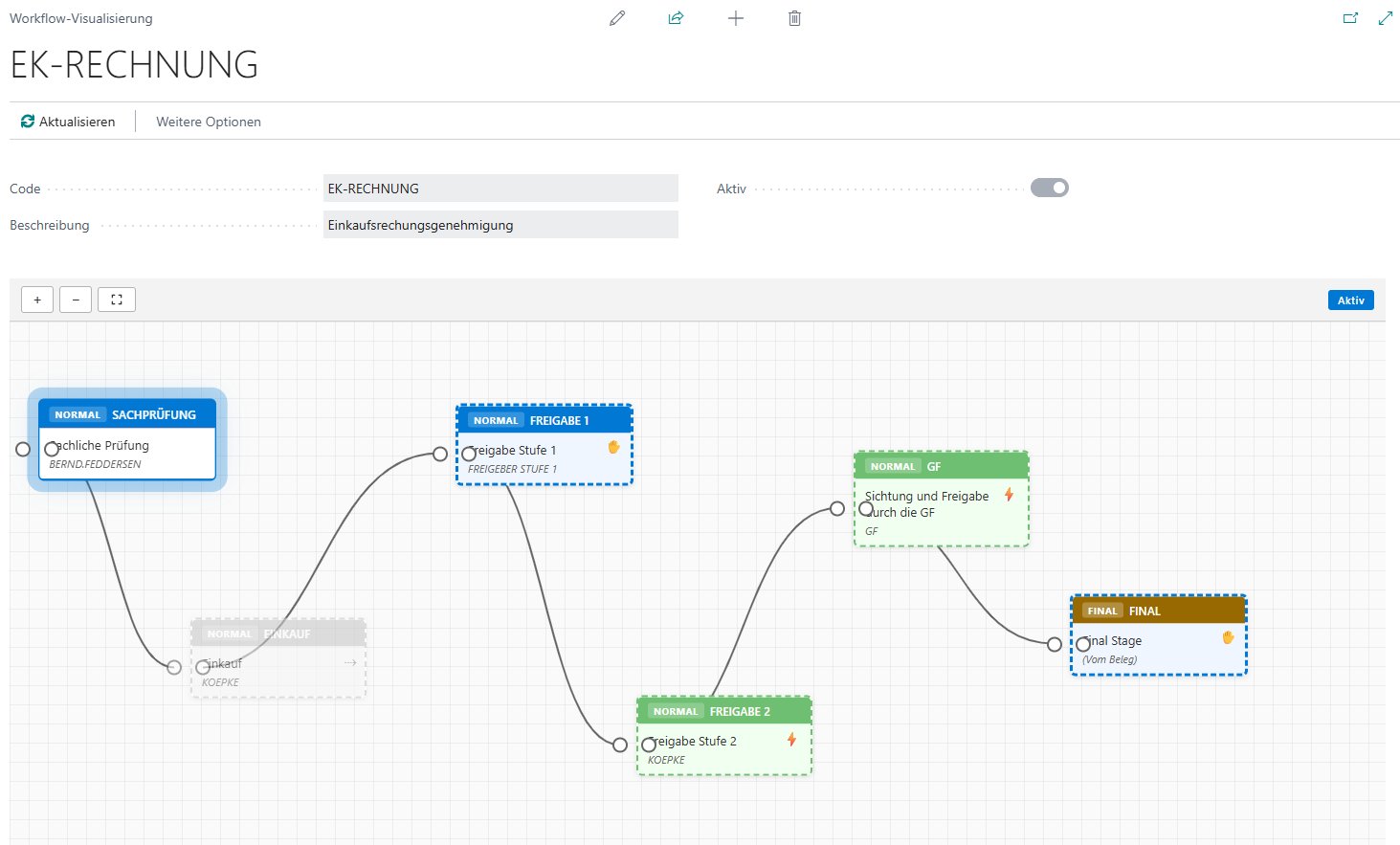
From the AWF Workflow Instancecard, the visualization can also be opened. In this case it shows the current progress of the workflow instance (which step is currently active, which steps have already been passed).
Save positions
The positions of the step nodes are saved automatically when moved (drag & drop). The next time the visualization is opened, the nodes are shown at the saved positions.
No comments to display
No comments to display